Layer 3 Switches – Where Switching Meets Routing

8
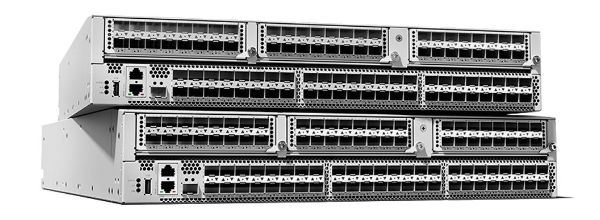
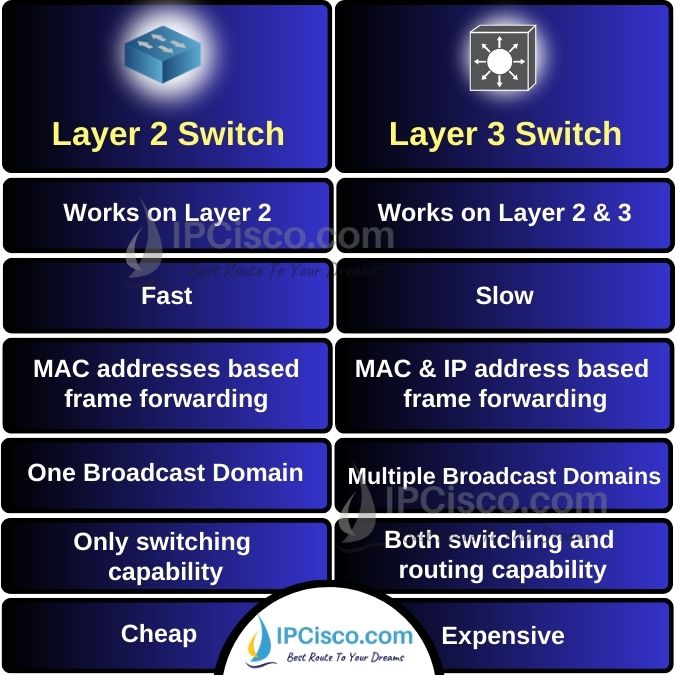
Now that you understand the difference between Layer 2 switches and routers, we can move on to a device that combines the capabilities of both and has become the standard in modern enterprise networks:
👉 The Layer 3 Switch (Multilayer Switch)
A Layer 3 switch is essentially:
- a Layer 2 switch with routing capabilities,
- capable of handling inter-VLAN communication,
- with many ports, unlike traditional routers.
🔄 Why Companies Prefer Layer 3 Switches Over Routers

6
Layer 3 switches became popular for three main reasons:
✔ 1. Better cost-benefit
They perform routing internally, similar to routers, but with much more port density and at a lower cost.
✔ 2. High performance
They forward traffic between VLANs and internal networks at line rate.
✔ 3. The ISP usually provides the router anyway
In most companies:
- The ISP installs and owns the router (as part of the service).
- The ISP guarantees maintenance only up to that router.
- Everything beyond it — switches, VLANs, routing inside the LAN —
is the company’s responsibility, meaning:
👉 It becomes your responsibility as the network analyst.
This is why L3 switches are the standard for internal routing, VLAN interconnection, building-to-building links, and enterprise network design.
🚪 Is a Layer 3 Switch a Router With Many Ports or a Switch That Routes?
The answer is: both.
A Layer 3 switch can:
- operate as a traditional Layer 2 switch,
- perform routing between networks,
- forward IP packets using a routing table,
- create gateways for VLANs,
- support static and dynamic routing,
- use SVIs (Switch Virtual Interfaces) or routed ports,
- replace internal routers entirely.
That’s why they are so common in real enterprise environments.
🌐 How the Layer 3 Switch Makes Routing Decisions


6
Layer 3 switches run an operating system capable of:
- maintaining a routing table,
- performing static routing,
- supporting dynamic routing protocols like OSPF, EIGRP, or even BGP,
- deciding where each IP packet should go,
- forwarding traffic between VLANs without needing an external router.
All routing decisions happen inside the device, making the network much faster and more scalable.
🔧 SVIs – The Virtual Interfaces Used to Connect VLANs Internally
Before diving into configurations, you must understand a key concept:
👉 The SVI (Switch Virtual Interface)
An SVI is a logical Layer 3 interface associated with a VLAN.
It allows the switch to:
- provide IP gateways for VLANs,
- route traffic between networks,
- separate broadcast domains,
- segment the internal environment efficiently.
Example:
- VLAN 10 → SVI IP 10.0.10.1
- VLAN 20 → SVI IP 10.0.20.1
The Layer 3 switch performs inter-VLAN routing internally, at high speed.
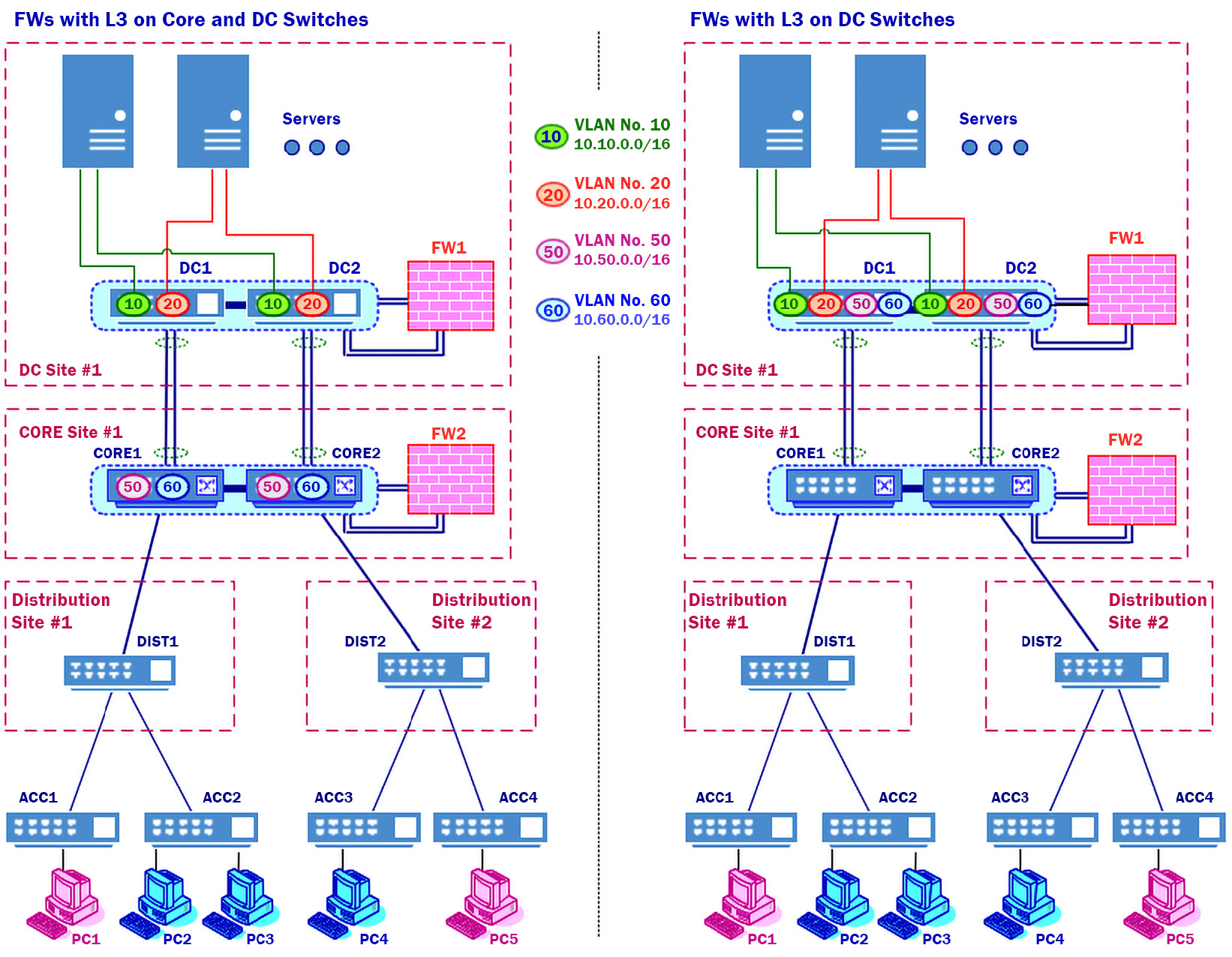
🧠 Before Learning Configurations, You Must Understand Real Enterprise Topology


6
One thing most courses fail to teach is how real enterprise networks look.
When you start your first job as a network analyst, you will not find:
- empty racks,
- brand new devices,
- zero configurations,
- a fresh project waiting for your commands.
Instead, you will walk into a network that is already running:
- existing VLANs
- legacy and modern switches mixed
- operational routing
- ISP routers already in place
- firewalls, cores, distribution, access layers
- redundancy mechanisms
- STP, HSRP/VRRP, OSPF running
- hundreds or thousands of active ports
Meaning:
Your job will be to understand, interpret, fix, optimize, and expand an environment that already exists.
This is why we must discuss enterprise topology before touching configurations.
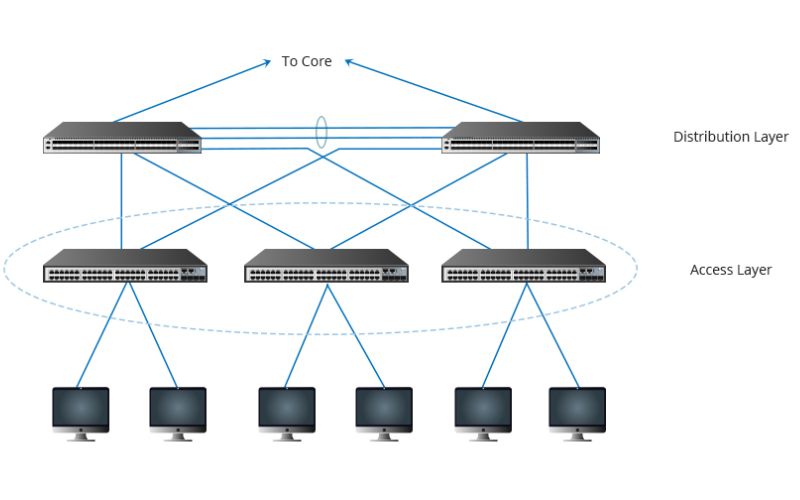
🏛️ Layer 3 Switches in the Real World
Layer 3 switches appear in roles such as:
- core switches
- distribution switches
- switches interconnecting buildings or departments
- switches routing traffic between VLANs
- internal gateways for entire companies
- high-performance internal routers
They sit between the access layer (where users connect) and the edge of the network (where the ISP connects).
🧩 Summary Before Moving Forward
You now understand that:
- Layer 2 switch → connects devices inside the same network
- Router → connects different networks
- Layer 3 switch → does both
- It is the internal routing standard in enterprises
- It supports routing directly in the switch OS
- SVIs allow inter-VLAN communication
- You will rarely configure a device from scratch in real life
- Your job is to understand existing topology and optimize it
With this foundation, you are ready for the next stage of the course.
Deixe um comentário