Categoria: Uncategorized

  • #6 Three-Tier Network Topology

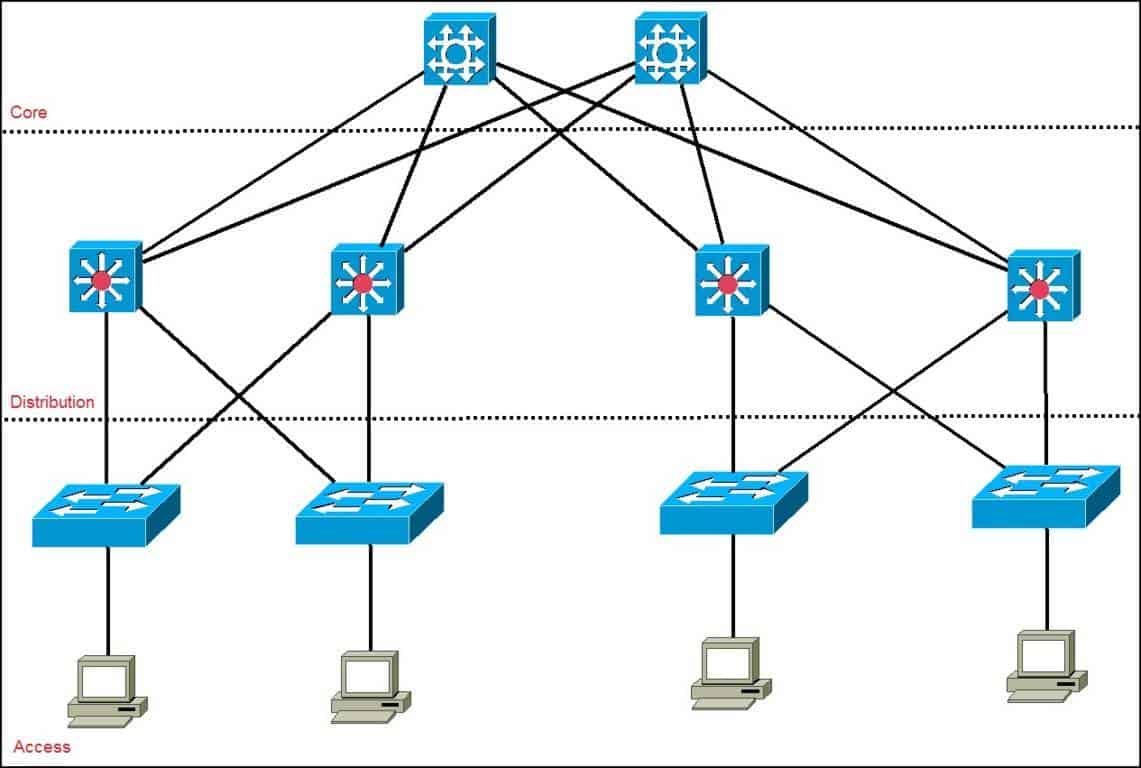
    Three-Tier Network Topology – The Classic Enterprise Architecture

    https://lh7-us.googleusercontent.com/m5bhgn5-LChywzO6eDYKhD_FELRkUJpXvxbo6kkCRR45Bnu6pfbdJqEkv8PPvPnuX2z5rj8w_Cde0wyaA0ACQfsVFHBpPGgAqAT3RfCOOURIxS6Nh_4xBQxCZN3T2z8vyih1mkxcJ6hflTsPmhyfEnwjmmIfbj7BUf44PVadbMFn1LndjDUFVeunrg3NIQ?utm_source=chatgpt.com
    https://study-ccna.com/wp-content/uploads/collapsed-core-and-three-tier-architectures.png?utm_source=chatgpt.com
    https://study-ccna.com/wp-content/uploads/2016/02/cisco_hierarchical_model.jpg?utm_source=chatgpt.com

    6

    As networks grew in size and complexity, engineers realized it was impossible to efficiently manage environments where all devices were connected randomly or without structure.
    This led to the creation of one of the most important models in enterprise networking:

    👉 The Three-Tier Network Architecture (Core – Distribution – Access)

    This model was developed to:

    • organize equipment physically,
    • simplify expansion,
    • increase redundancy,
    • provide high availability,
    • separate responsibilities between layers,
    • and standardize how networks are built worldwide.

    Today, any medium or large company uses this model — and you will encounter it in your daily work as a network analyst.


    🔹 Access Layer – Where Everything Begins

    https://www.computernetworkingnotes.com/wp-content/uploads/ccna-study-guide/images/csg81-01-access-layer-switch.png?utm_source=chatgpt.com
    https://cdn.shopify.com/s/files/1/0810/5138/6158/files/Layers-of-Hierarchy-Ethernet-Network_3eef3e7a-c9c0-4eed-96ff-f5f7fdd61ece.png?v=1697619306&utm_source=chatgpt.com
    https://www.cisco.com/c/dam/en/us/td/i/100001-200000/140001-150000/148001-149000/148429.ps/jcr%3Acontent/renditions/148429.jpg?utm_source=chatgpt.com

    6

    Now that you understand Layer 2 switches, their role becomes clear:

    👉 The access layer is where all end-user devices connect.

    Here we connect:

    • computers
    • printers
    • IP phones
    • cameras
    • access points
    • IoT devices
    • any user-facing equipment

    And for this reason:

    ✔ Access switches are almost always Layer 2.

    Their job is simply to provide physical connectivity.

    ❌ Can we use Layer 3 switches in the access layer?

    Technically yes — but it is a waste of money.

    Layer 3 switches are more expensive, and their routing capabilities should not be used in this layer when following the three-tier model.
    They would be underutilized.


    🔹 Distribution Layer – The Internal “Brain” of the Network

    https://resource.fs.com/mall/generalImg/CScWb6HO6oONG1xsMxhcJcy6nrc.png?utm_source=chatgpt.com
    https://lh7-us.googleusercontent.com/E5h6a2wCzn4ejEOBTVJZ8LA84jRzbXH9B5moZfiS_QAYACtCwjgCNYpQrKX_hltdLR_h2Rh6Nj4rzPJfQIw6Pyv6FHxtbLIQw7Wx9J6KRfDnfGUHTasIcK7h1sCcdwAMat2gfDpDLYSmuGSooS9Hy8c?utm_source=chatgpt.com
    https://www.ciscopress.com/content/images/chap4_9780136729358/elementLinks/04fig01_alt.jpg?utm_source=chatgpt.com

    6

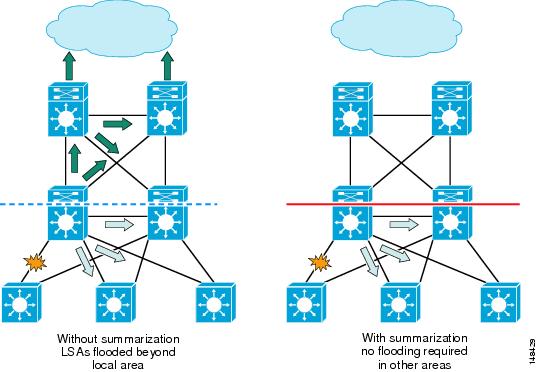
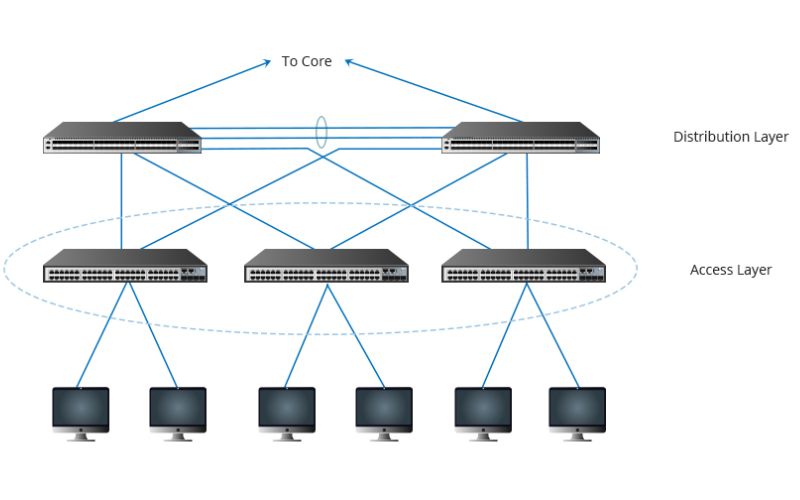
    The distribution layer is responsible for making the internal network communicate with itself.

    👉 This is where we start using Layer 3 switches, mainly through SVIs.

    Typical responsibilities of the distribution layer include:

    • inter-VLAN routing
    • applying internal routing policies
    • aggregating multiple access switches
    • controlling how traffic flows inside the organization
    • redundancy mechanisms (HSRP/VRRP/GLBP)

    Think of it as an internal control center:

    • it receives traffic from access switches,
    • routes it as needed,
    • forwards it to the core when appropriate.

    🔹 Core Layer – The Center of the Network (and the Path to the World)
    https://www.znetlive.com/blog/wp-content/uploads/2016/10/Core-layer.jpg?utm_source=chatgpt.com
    https://www.researchgate.net/publication/320368752/figure/fig1/AS%3A754163759730688%401556818060231/SDN-Network-Architecture-A-CORE-LAYER-The-core-layer-also-called-as-L3-layer-consists-of.ppm?utm_source=chatgpt.com
    https://cloudswit.ch/wp-content/uploads/2022/10/cx-m-10g_CX206P-48S-M-H-19.png?utm_source=chatgpt.com

    6

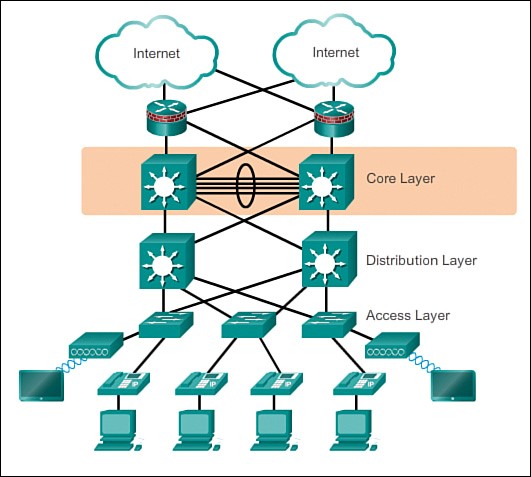
    The core layer is the most critical part of the internal network.

    Its responsibilities include:

    • interconnecting all internal networks,
    • connecting the company to other branches,
    • connecting to the firewall and the ISP router,
    • reaching the Internet,
    • handling high-speed internal routing.

    Equipment used in the core:

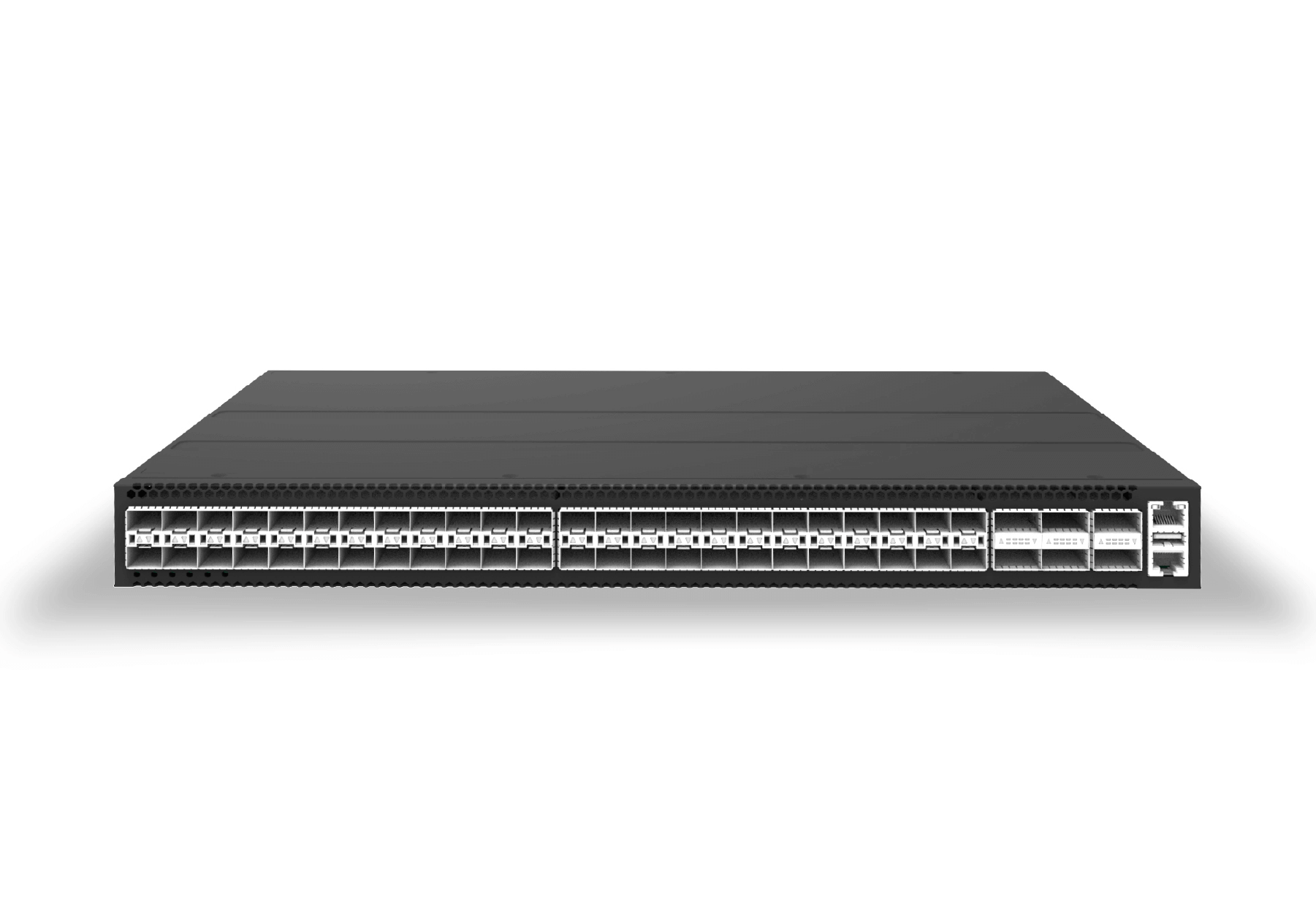
    • very high-performance Layer 3 switches, or
    • enterprise-grade routers.

    This is the company’s highway — where all major traffic flows.


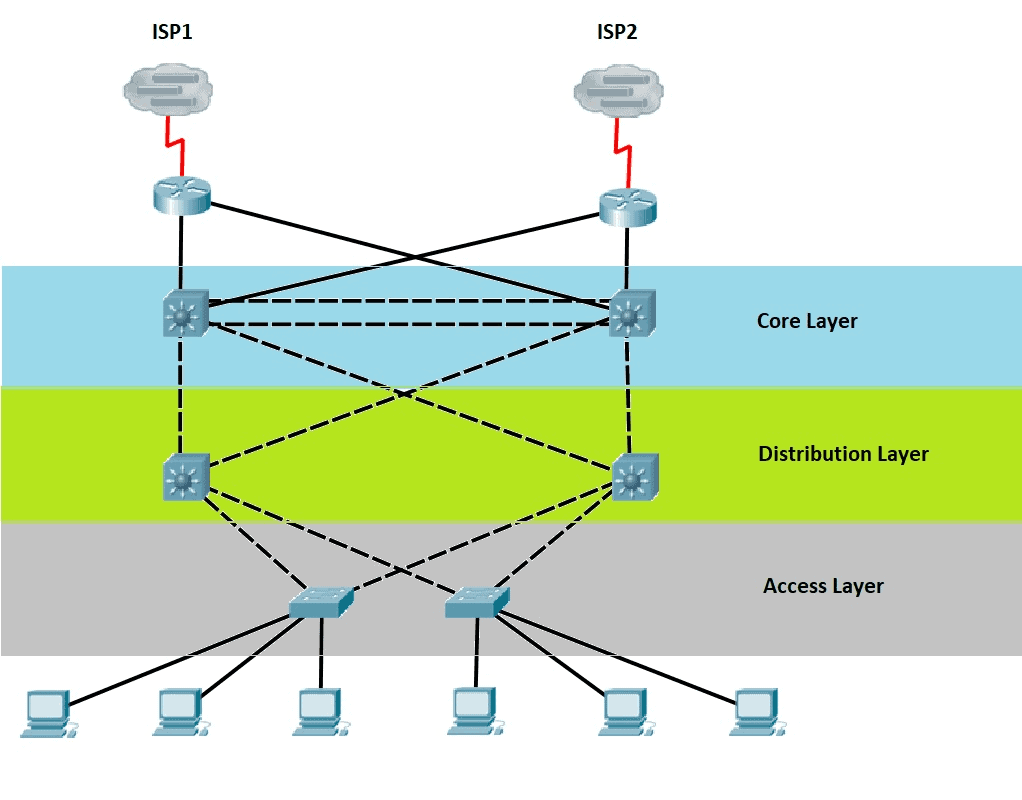
    🏛️ Our Demonstration Topology

    For the course, we will work with the following environment:

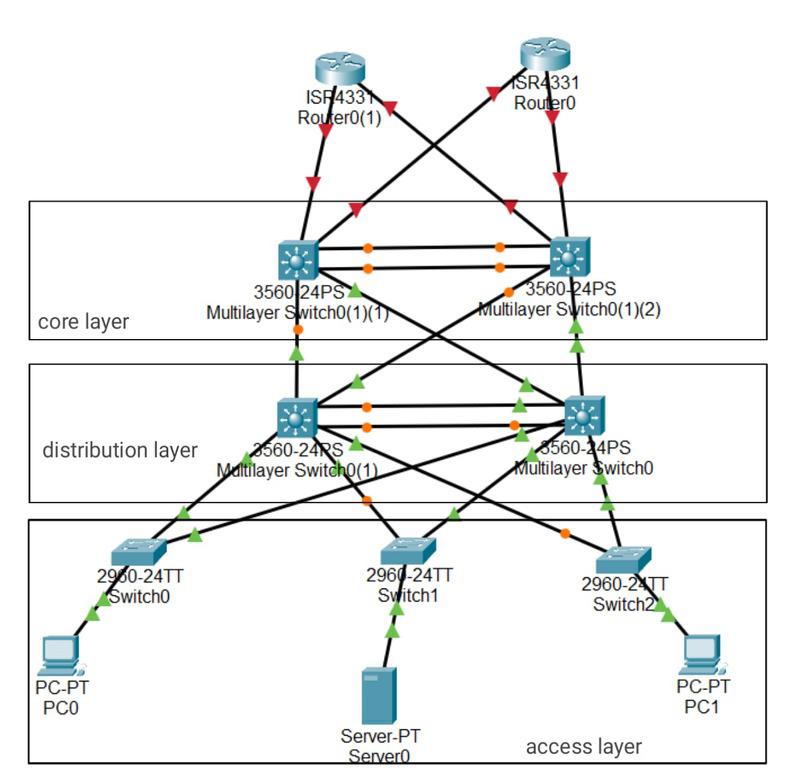
    🔹 6 Access Switches (L2)

    for user devices.

    🔹 2 Distribution Switches (L3)

    for inter-VLAN routing and aggregation.

    🔹 2 Core Switches (High-performance L3 or routers)

    to connect the internal network with the outside world.

    https://lh7-us.googleusercontent.com/m5bhgn5-LChywzO6eDYKhD_FELRkUJpXvxbo6kkCRR45Bnu6pfbdJqEkv8PPvPnuX2z5rj8w_Cde0wyaA0ACQfsVFHBpPGgAqAT3RfCOOURIxS6Nh_4xBQxCZN3T2z8vyih1mkxcJ6hflTsPmhyfEnwjmmIfbj7BUf44PVadbMFn1LndjDUFVeunrg3NIQ?utm_source=chatgpt.com
    https://media.geeksforgeeks.org/wp-content/uploads/20221012184438/imgonlinecomuaresizeetwsuypmh0YcjlY3.jpg?utm_source=chatgpt.com
    https://www.computernetworkingnotes.com/wp-content/uploads/ccna-study-guide/images/csg81-03-distribution-and-core-layers.png?utm_source=chatgpt.com

    4

    This layout is extremely common in real enterprise environments.


    🔄 Why Distribution and Core Must Always Be Redundant

    The distribution and core layers don’t just connect devices —
    they connect networks.

    For this reason:

    👉 If one of these layers fails and no backup exists, the entire company can go offline.

    Examples:

    • If a core switch goes down → the company loses Internet and branch connectivity.
    • If a distribution switch goes down → entire floors, VLANs, or departments go offline.

    This is why redundancy is mandatory:

    • two distribution switches working together,
    • two core switches for high availability,
    • redundant links everywhere,
    • routing failover mechanisms.

    Professional networks rarely operate without redundancy.
    If they do, serious outages are inevitable.


    🧩 Physical Topology vs Logical Topology

    The three-tier architecture represents the physical structure:

    • which device connects where,
    • how cabling is organized,
    • what role each switch plays.

    But there is another equally important perspective:

    👉 The Logical Topology

    This represents:

    • how traffic moves between VLANs,
    • how routing decisions occur,
    • how redundancy protocols behave,
    • how spanning-tree interacts with the topology,
    • how primary and backup paths are used.

    We will explore the logical topology later in the course.

  • #5 Layer 3 Switches

    Layer 3 Switches – Where Switching Meets Routing

    https://documentation.meraki.com/%40api/deki/files/436/4478bd7d-57ee-485b-aee4-d7d41dce1807?revision=1&utm_source=chatgpt.com
    https://www.etherwan.com/sites/default/files/featured-articles/EtherWAN_L2L3.jpg?utm_source=chatgpt.com
    https://www.cisco.com/c/dam/assets/support/product-images/series/storage-networking-mds-9100-series-multilayer-fabric-switches-series.jpg/_jcr_content/renditions/storage-networking-mds-9100-series-multilayer-fabric-switches-series-600x220.jpg?utm_source=chatgpt.com

    8

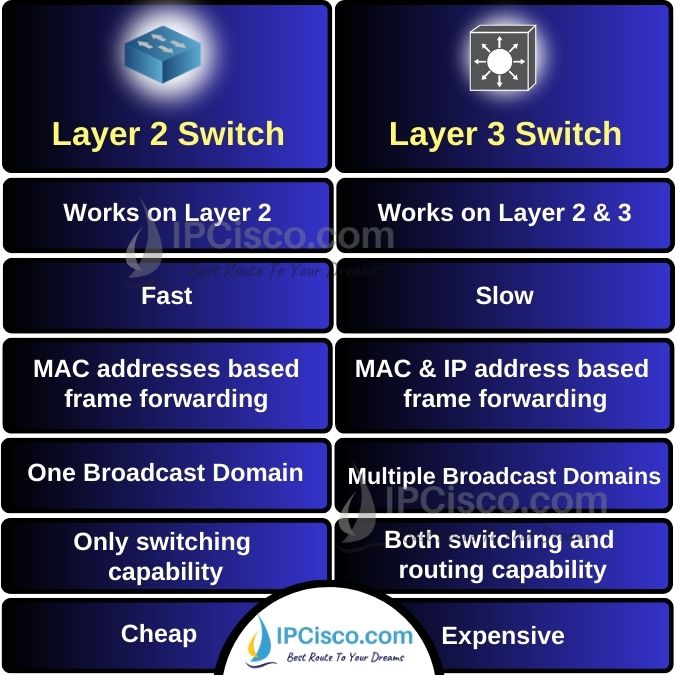
    Now that you understand the difference between Layer 2 switches and routers, we can move on to a device that combines the capabilities of both and has become the standard in modern enterprise networks:

    👉 The Layer 3 Switch (Multilayer Switch)

    A Layer 3 switch is essentially:

    • a Layer 2 switch with routing capabilities,
    • capable of handling inter-VLAN communication,
    • with many ports, unlike traditional routers.

    🔄 Why Companies Prefer Layer 3 Switches Over Routers

    https://static.packt-cdn.com/products/9781789953480/graphics/image/B13010_01_08.jpg?utm_source=chatgpt.com
    https://i0.wp.com/brezular.com/wp-content/uploads/2017/09/Picture1_Enterprise_Network-1.png?fit=1319%2C928&ssl=1&utm_source=chatgpt.com
    https://dngcorp.vn/wp-content/uploads/2024/05/distribution-layer-1.jpg?utm_source=chatgpt.com

    6

    Layer 3 switches became popular for three main reasons:

    ✔ 1. Better cost-benefit

    They perform routing internally, similar to routers, but with much more port density and at a lower cost.

    ✔ 2. High performance

    They forward traffic between VLANs and internal networks at line rate.

    ✔ 3. The ISP usually provides the router anyway

    In most companies:

    • The ISP installs and owns the router (as part of the service).
    • The ISP guarantees maintenance only up to that router.
    • Everything beyond it — switches, VLANs, routing inside the LAN —
      is the company’s responsibility, meaning:

    👉 It becomes your responsibility as the network analyst.

    This is why L3 switches are the standard for internal routing, VLAN interconnection, building-to-building links, and enterprise network design.


    🚪 Is a Layer 3 Switch a Router With Many Ports or a Switch That Routes?

    The answer is: both.

    A Layer 3 switch can:

    • operate as a traditional Layer 2 switch,
    • perform routing between networks,
    • forward IP packets using a routing table,
    • create gateways for VLANs,
    • support static and dynamic routing,
    • use SVIs (Switch Virtual Interfaces) or routed ports,
    • replace internal routers entirely.

    That’s why they are so common in real enterprise environments.


    🌐 How the Layer 3 Switch Makes Routing Decisions

    https://www.ciscopress.com/content/images/chap4_9780136729358/elementLinks/04fig01_alt.jpg?utm_source=chatgpt.com
    https://drawrangernightmare.wordpress.com/wp-content/uploads/2018/10/svi-lab-1.png?utm_source=chatgpt.com
    https://ipcisco.com/wp-content/uploads/2024/08/layer-2-vs-layer-3-switch-ipcisco.com_.jpg?utm_source=chatgpt.com

    6

    Layer 3 switches run an operating system capable of:

    • maintaining a routing table,
    • performing static routing,
    • supporting dynamic routing protocols like OSPF, EIGRP, or even BGP,
    • deciding where each IP packet should go,
    • forwarding traffic between VLANs without needing an external router.

    All routing decisions happen inside the device, making the network much faster and more scalable.


    🔧 SVIs – The Virtual Interfaces Used to Connect VLANs Internally

    Before diving into configurations, you must understand a key concept:

    👉 The SVI (Switch Virtual Interface)

    An SVI is a logical Layer 3 interface associated with a VLAN.
    It allows the switch to:

    • provide IP gateways for VLANs,
    • route traffic between networks,
    • separate broadcast domains,
    • segment the internal environment efficiently.

    Example:

    • VLAN 10 → SVI IP 10.0.10.1
    • VLAN 20 → SVI IP 10.0.20.1

    The Layer 3 switch performs inter-VLAN routing internally, at high speed.


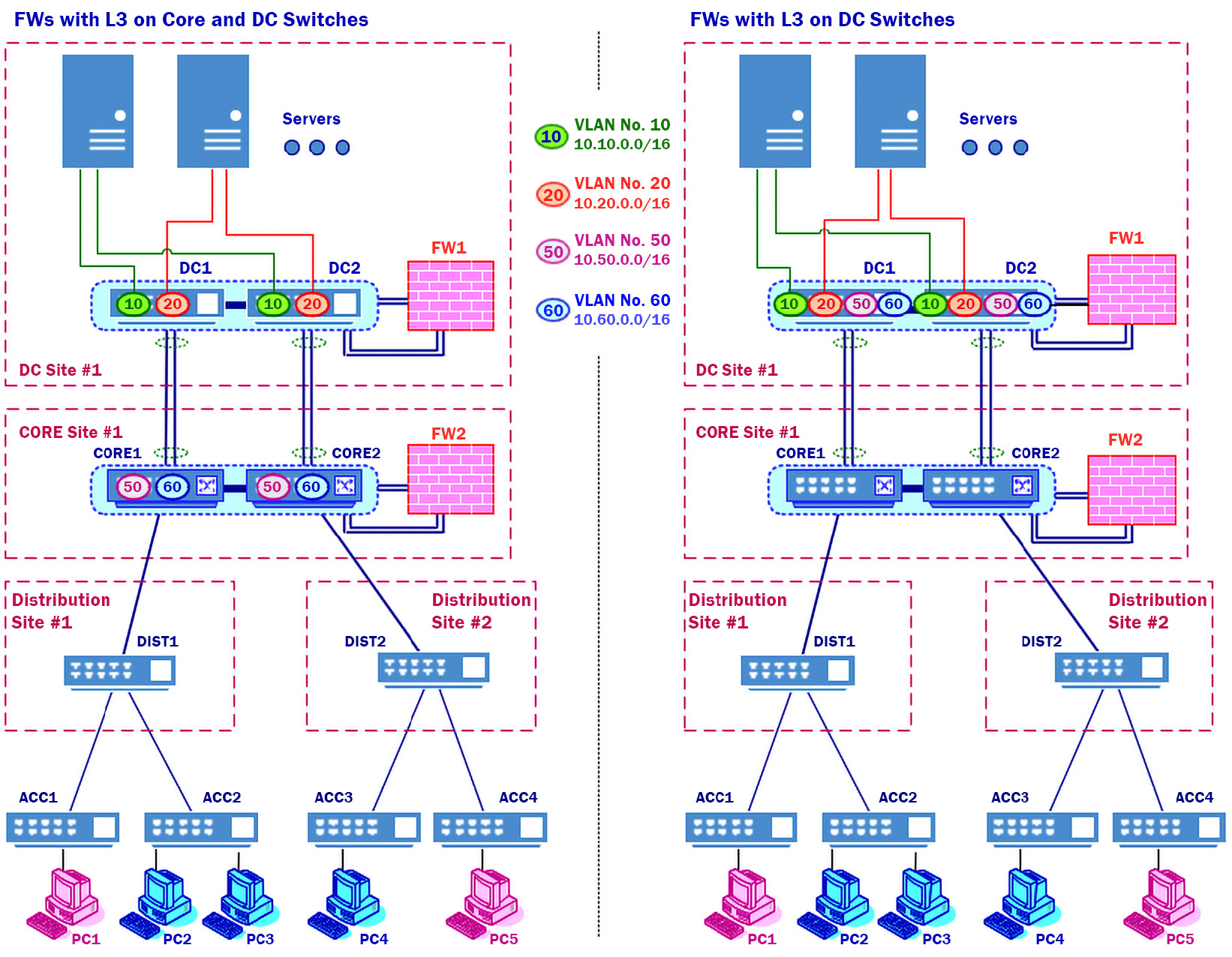
    🧠 Before Learning Configurations, You Must Understand Real Enterprise Topology

    https://www.computernetworkingnotes.com/wp-content/uploads/ccna-study-guide/images/csg81-03-distribution-and-core-layers.png?utm_source=chatgpt.com
    https://www.ciscopress.com/content/images/chap1_9781587133329/elementLinks/01fig06_alt.jpg?utm_source=chatgpt.com
    https://images.edrawsoft.com/articles/network-topology-examples/step1-2.png?utm_source=chatgpt.com

    6

    One thing most courses fail to teach is how real enterprise networks look.

    When you start your first job as a network analyst, you will not find:

    • empty racks,
    • brand new devices,
    • zero configurations,
    • a fresh project waiting for your commands.

    Instead, you will walk into a network that is already running:

    • existing VLANs
    • legacy and modern switches mixed
    • operational routing
    • ISP routers already in place
    • firewalls, cores, distribution, access layers
    • redundancy mechanisms
    • STP, HSRP/VRRP, OSPF running
    • hundreds or thousands of active ports

    Meaning:

    Your job will be to understand, interpret, fix, optimize, and expand an environment that already exists.

    This is why we must discuss enterprise topology before touching configurations.


    🏛️ Layer 3 Switches in the Real World

    Layer 3 switches appear in roles such as:

    • core switches
    • distribution switches
    • switches interconnecting buildings or departments
    • switches routing traffic between VLANs
    • internal gateways for entire companies
    • high-performance internal routers

    They sit between the access layer (where users connect) and the edge of the network (where the ISP connects).


    🧩 Summary Before Moving Forward

    You now understand that:

    • Layer 2 switch → connects devices inside the same network
    • Router → connects different networks
    • Layer 3 switch → does both
    • It is the internal routing standard in enterprises
    • It supports routing directly in the switch OS
    • SVIs allow inter-VLAN communication
    • You will rarely configure a device from scratch in real life
    • Your job is to understand existing topology and optimize it

    With this foundation, you are ready for the next stage of the course.

  • #4 Routers: Connect Networks

    Routers – The Layer 3 Devices That Connect Networks

    https://www.researchgate.net/publication/352710035/figure/fig1/AS%3A1038216819904513%401624541587105/Basic-Diagram-of-an-Enterprise-Network-A-typical-Enterprise-network-includes.jpg?utm_source=chatgpt.com
    https://www.researchgate.net/publication/224244244/figure/fig1/AS%3A669027894571037%401536520088939/Enterprise-network-with-Ethernet-islands-interconnected-by-IP-routers.png?utm_source=chatgpt.com
    https://www.cisco.com/c/dam/en/us/td/i/400001-500000/450001-460000/455001-456000/455369.jpg?utm_source=chatgpt.com

    8

    If switches operate at Layer 2 and handle communication inside the local network, routers operate at Layer 3, connecting one network to another.
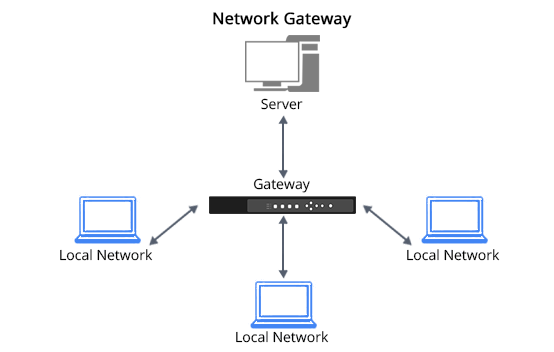
    Routers are the gateway of an environment — the device through which all traffic enters or leaves a network.

    A router can connect:

    • your internal network to the Internet,
    • one office to another,
    • one VLAN to another,
    • or entire organizations across long distances.

    Without routers, the Internet simply wouldn’t exist.


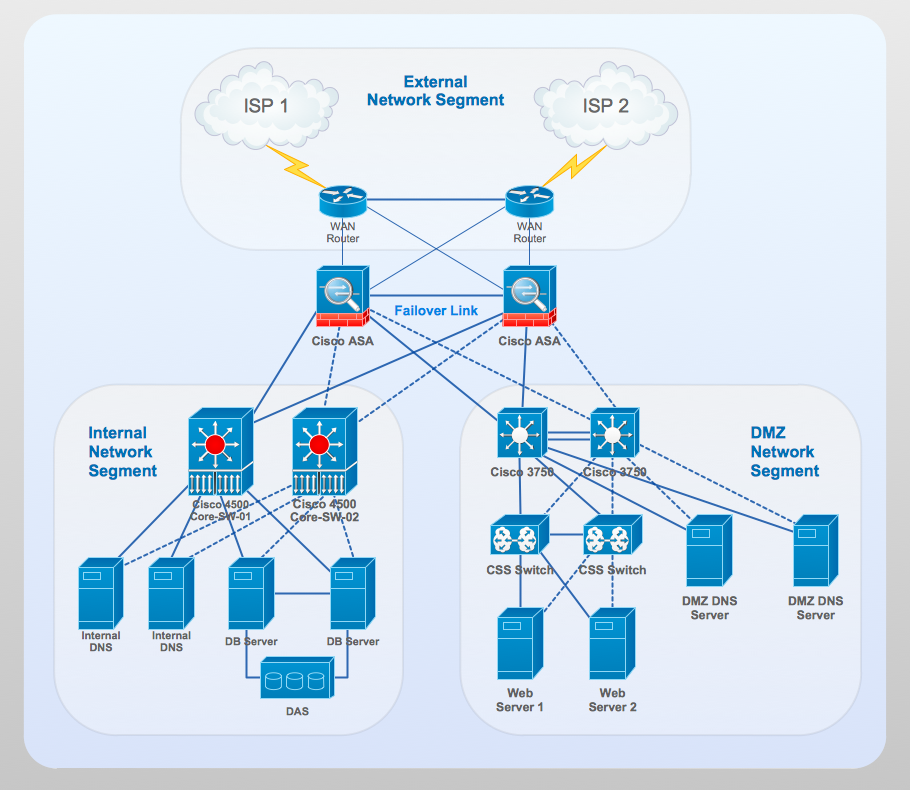
    🌍 The Role of a Router: Connecting Different Networks

    https://www.conceptdraw.com/How-To-Guide/picture/Computer-and-networks-Cisco-network-diagram.png?utm_source=chatgpt.com
    https://i.sstatic.net/7p9Ab.jpg?utm_source=chatgpt.com
    https://datasave.qsfptek.com/upload/2024-03-11/1710148821173.png?utm_source=chatgpt.com

    6

    A router connects:

    • Internal Network (LAN) → your company or home
    • External Network (WAN) → your ISP, another office, or the Internet
    • Other Internal Networks → other departments, buildings, or data centers

    It works like a gate:

    Everything entering or leaving a network must pass through the router.

    Switches only forward frames within the same network, while routers decide between different networks, using IP addresses and routing tables.


    🧭 Routing: Static or Dynamic

    The word router reveals its purpose: it routes packets, choosing the best path to reach a specific destination.

    Routers use two routing methods:

    🔹 Static Routes (manual)

    Configured by the network administrator.
    Example:
    “Send all traffic to network X through next-hop Y.”

    🔹 Dynamic Routes (automatic)

    Learned through routing protocols such as:

    • OSPF
    • BGP
    • EIGRP
    • IS-IS

    These protocols allow routers to exchange information, avoid failures, and constantly calculate the best path.


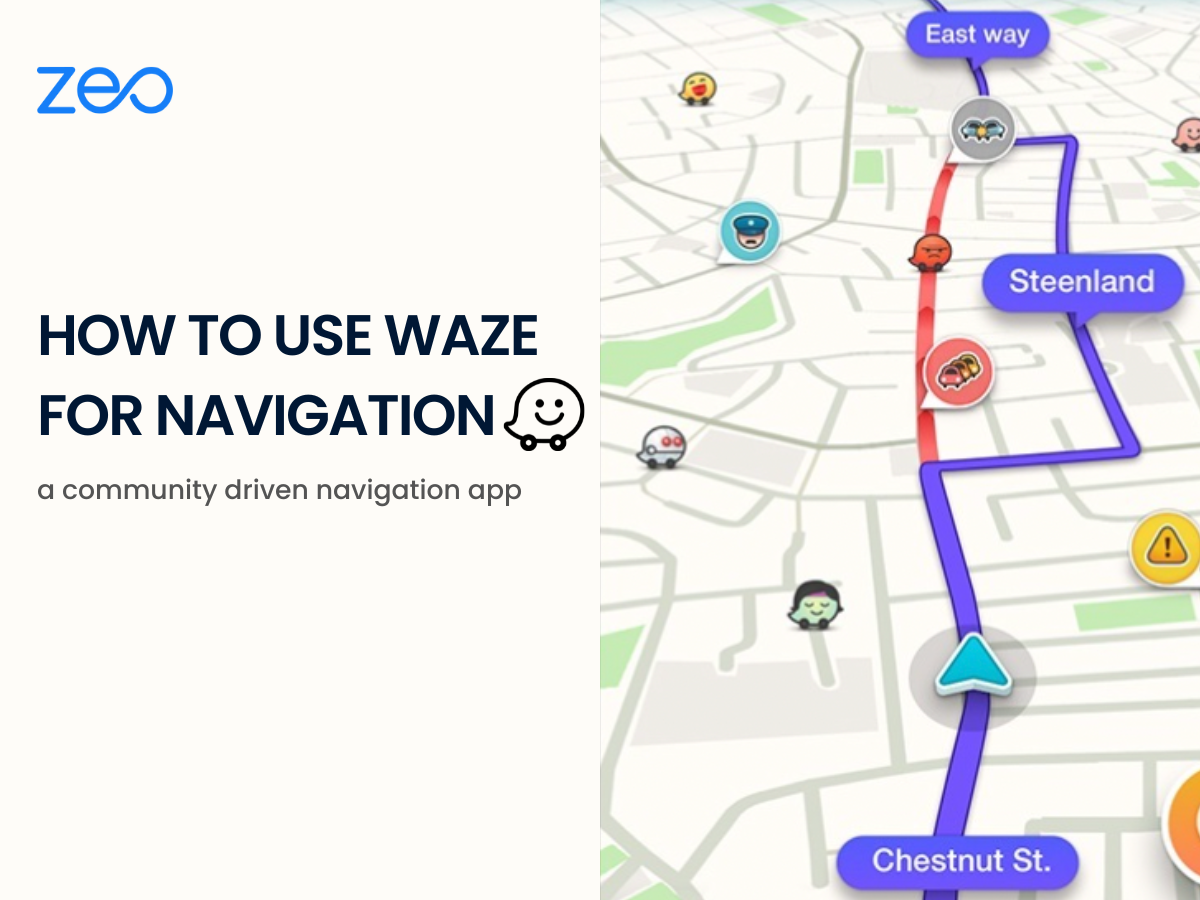
    🚗 A Perfect Analogy: Waze Works Like a Routing Algorithm

    https://i.pcmag.com/imagery/reviews/00YOmJe3onJgwxpj3ngWgn4-2..v1611295655.jpg?utm_source=chatgpt.com
    https://zeorouteplanner.com/wp-content/uploads/2023/05/Using-Waze-for-Navigation.png?utm_source=chatgpt.com
    https://miro.medium.com/v2/resize%3Afit%3A1400/1%2Acibi089oqjuGslbn7ZkzIA.jpeg?utm_source=chatgpt.com

    4

    Waze works just like a router:

    • Roads = possible paths
    • Allowed speed = available bandwidth
    • Traffic jams = congestion and latency
    • Closed roads = routes not available
    • Best path = lowest cost route (metric)

    Routers do this millions of times per second, choosing the optimal path for every IP packet traveling across the Internet.


    🏠 Home Routers – What You Have at Home

    https://wonderfulengineering.com/wp-content/uploads/2022/11/10-Best-Wifi-Router-For-Home5.jpg?utm_source=chatgpt.com
    https://cdn.mos.cms.futurecdn.net/emu4CvWyThkGPY25uABrwf.jpg?utm_source=chatgpt.com
    https://www.fibermall.com/blog/wp-content/uploads/2024/10/4-1.png?utm_source=chatgpt.com

    6

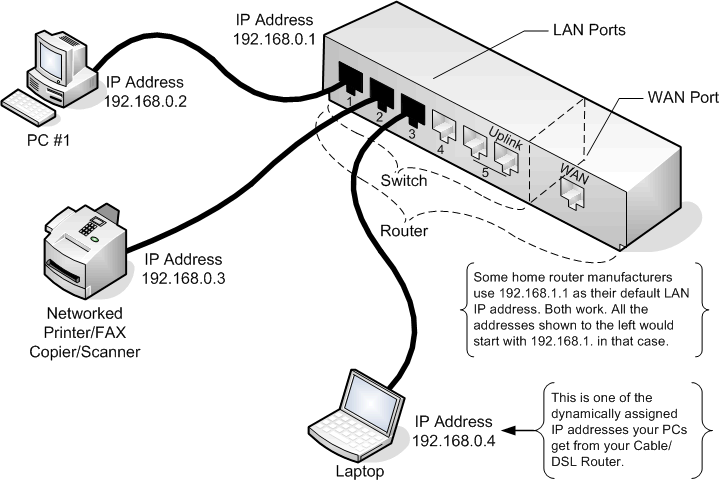
    A home router:

    • supports lower throughput,
    • combines several functions (Router + Switch + Wi-Fi + DHCP),
    • has only a few ports,
    • usually supports 10–20 users at most.

    And here is an important note:

    ➤ Every Layer 3 device also performs Layer 2 switching.

    This is why you don’t need a switch at home — your router already includes basic switch functionality.


    🏢 What Matters to Us: Professional, Managed Routers

    https://www.wifi-stock.com/full/rutxr1_01.jpg?utm_source=chatgpt.com
    https://www.4cabling.com.au/media/catalog/product/t/t/tt.rutxr1_5.jpg?canvas=396%3A396&fit=bounds&height=396&quality=80&width=396&utm_source=chatgpt.com
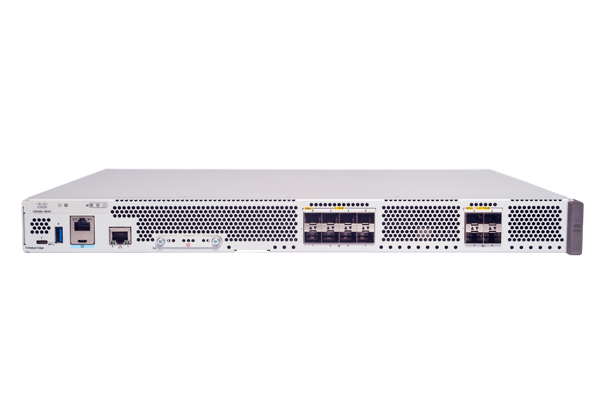
    https://www.cisco.com/c/dam/assets/prod/product-selector/routers/catalyst-8500L-8S4X-front-top.png?utm_source=chatgpt.com

    6

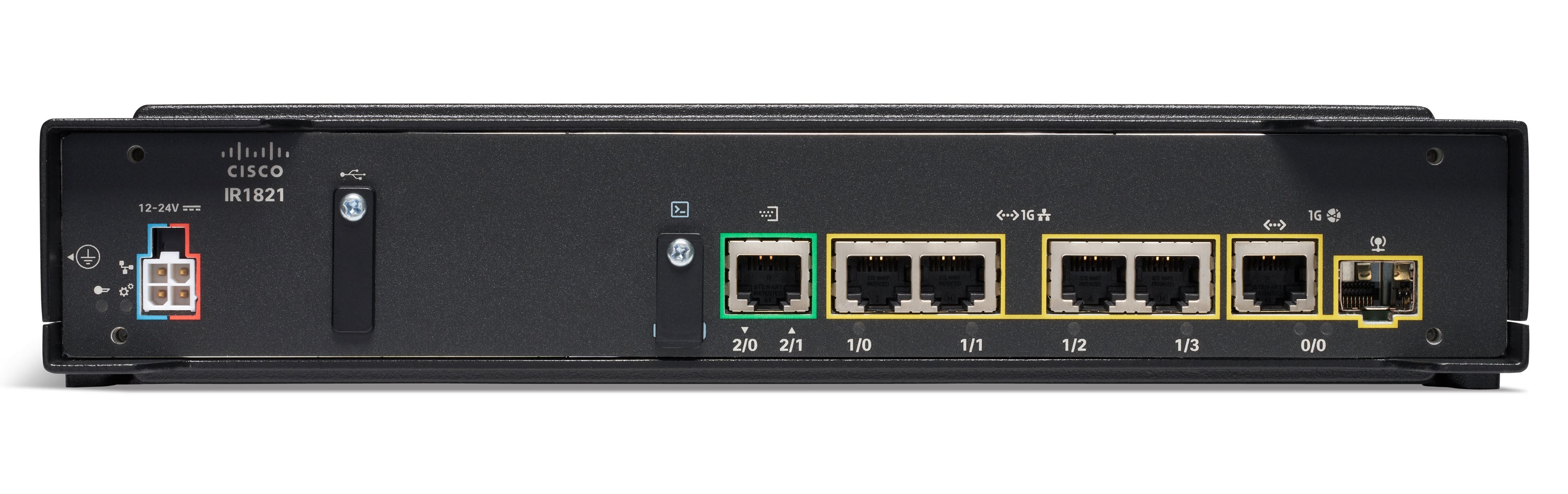
    For network professionals, the focus is on enterprise-grade routers:

    • fully manageable
    • highly configurable
    • support NAT, VPN, ACLs, QoS, MPLS, OSPF, BGP
    • built for 24/7 operation
    • used to interconnect branch offices, data centers, and ISPs

    These devices are nothing like home routers — they are built for performance, reliability, and precise control.


    🔌 Why Routers Have Few Ports

    Routers typically have:

    • 2 to 4 Ethernet ports,
    • dedicated WAN interfaces,
    • sometimes SFP ports.

    Why so few?

    Because routers are not meant to connect many devices.

    Their purpose is to connect networks, not users.

    If you need to connect dozens or hundreds of devices:

    ➡️ You attach a switch to one of the router’s ports.

    Switch = expands the network
    Router = connects the network to the outside world


    🧩 Modular vs. Fixed Routers

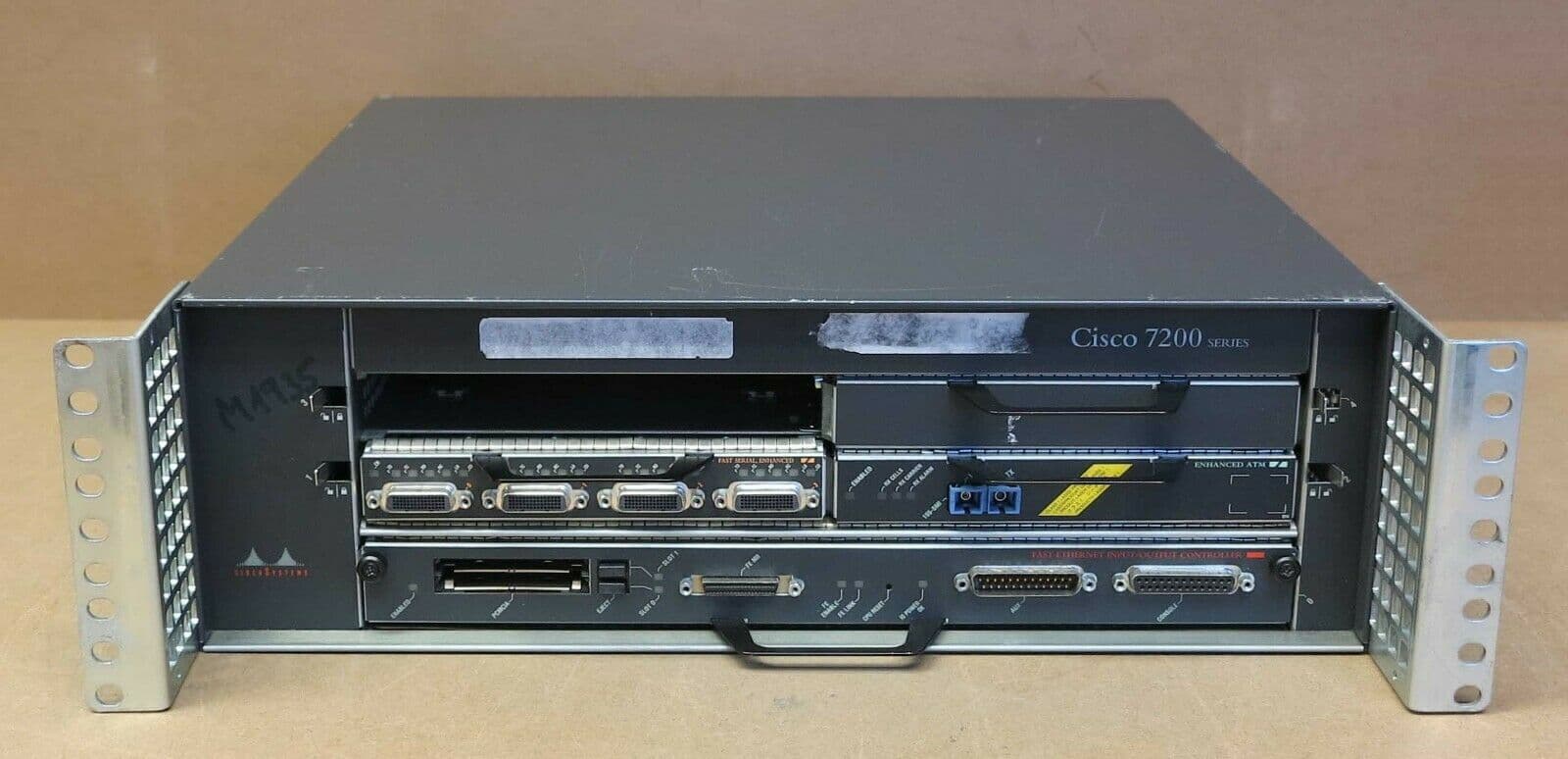
    https://files.ekmcdn.com/itinstock/images/cisco-7200-series-7204-modular-router-chassis-1x-npe-atm-fse-1x-psu-34-0687-01-1-81653-p.jpg?utm_source=chatgpt.com
    https://networkoutlet.com/cdn/shop/products/Cisco_7600_4-Slot_Chassis__49219_580x.jpg?v=1625771602&utm_source=chatgpt.com
    https://assets.ext.hpe.com/is/image/hpedam/a00150798enw-3200x2133?fmt=png&utm_source=chatgpt.com

    6

    Fixed (Non-Modular) Routers:

    • Ports are fixed
    • Factory-defined hardware
    • Cheaper and common in small offices

    Modular Routers (Chassis-Based):

    • Support additional interface cards
    • Can add WAN modules, fiber, 4G/5G, serial, etc.
    • Designed for high performance and scalability
    • Used in large enterprises and data centers

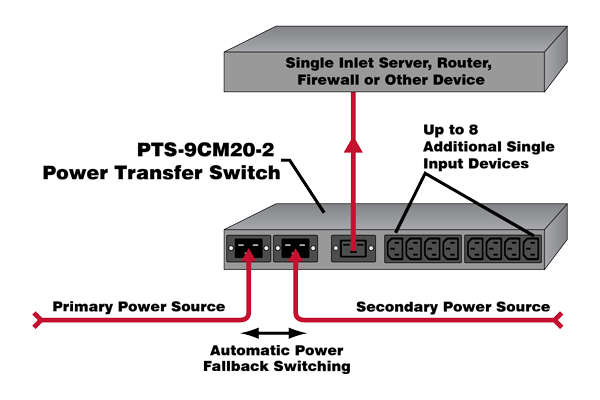
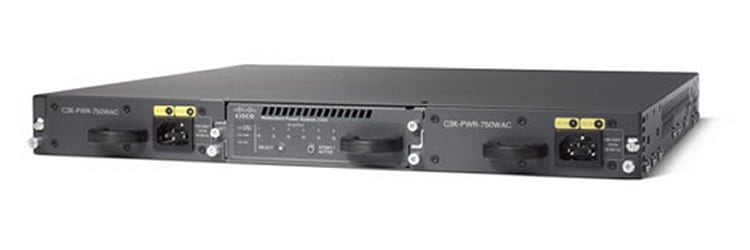
    🔌🔌 Redundant Power Supplies

    https://ftp.wti.com/userimages/pts-app-diagram-101201.png?utm_source=chatgpt.com
    https://www.cisco.com/c/dam/assets/support/product-images/series/switches-redundant-power-systems.jpg?utm_source=chatgpt.com
    https://i.ebayimg.com/images/g/T60AAeSwl2Borb-Z/s-l400.png?utm_source=chatgpt.com

    4

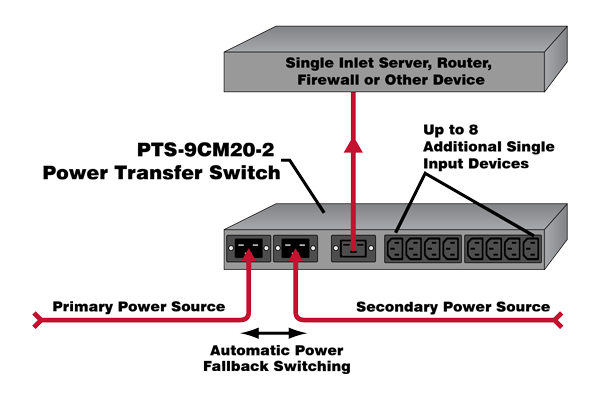
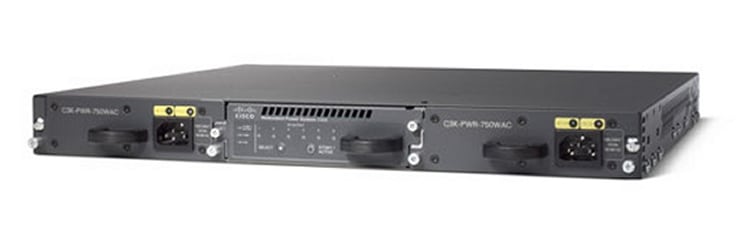
    High-end routers, like switches, may include:

    • dual power supplies,
    • running simultaneously,
    • ensuring the router stays online even if one PSU fails.

    Critical for reliable network operation.


    🔧 Console Port – Direct Access for Configuration

    https://i.ytimg.com/vi/Z2-QHMQPqAU/maxresdefault.jpg?utm_source=chatgpt.com
    https://www.cisco.com/c/dam/en/us/td/i/200001-300000/230001-240000/231001-232000/231990.eps/_jcr_content/renditions/231990.jpg?utm_source=chatgpt.com
    https://m.media-amazon.com/images/I/61RJXQWBr9L.jpg?utm_source=chatgpt.com

    4

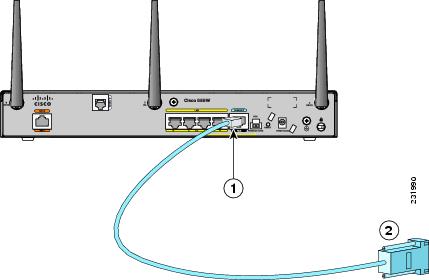
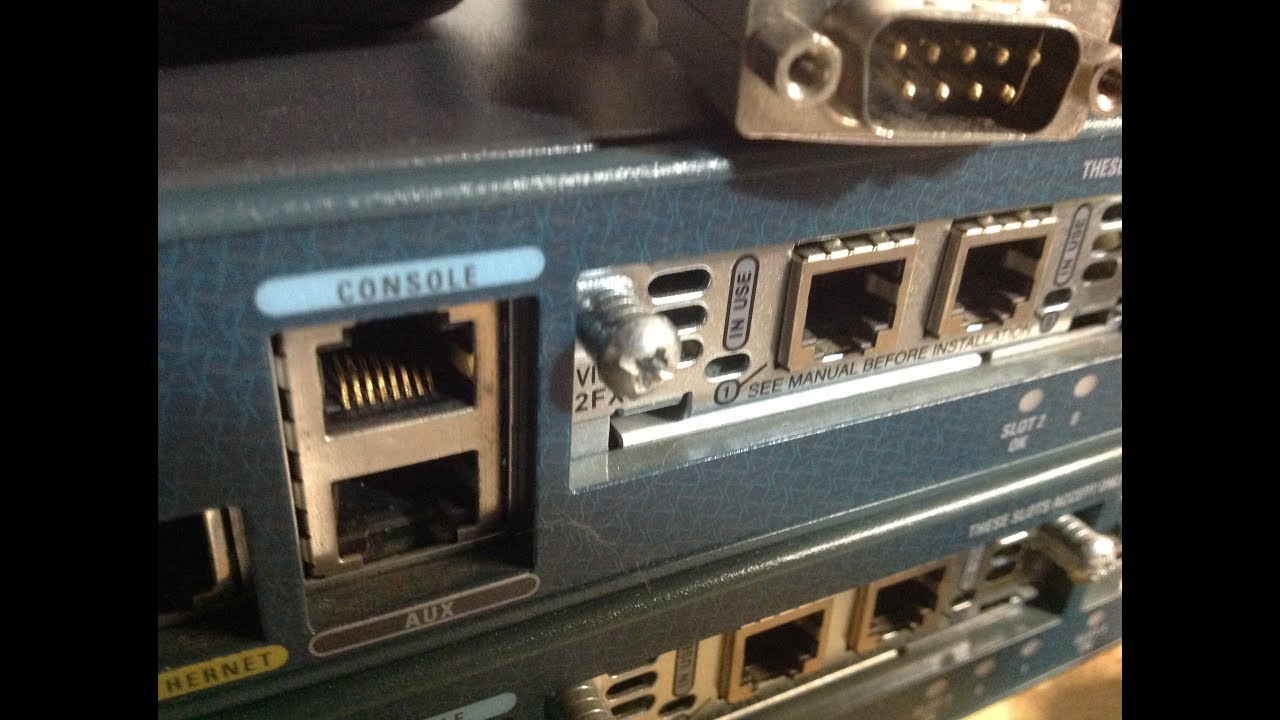
    Professional routers include a console port, used for:

    • first-time configuration
    • disaster recovery
    • troubleshooting
    • CLI access

    Just like enterprise switches, routers depend heavily on command-line configuration.


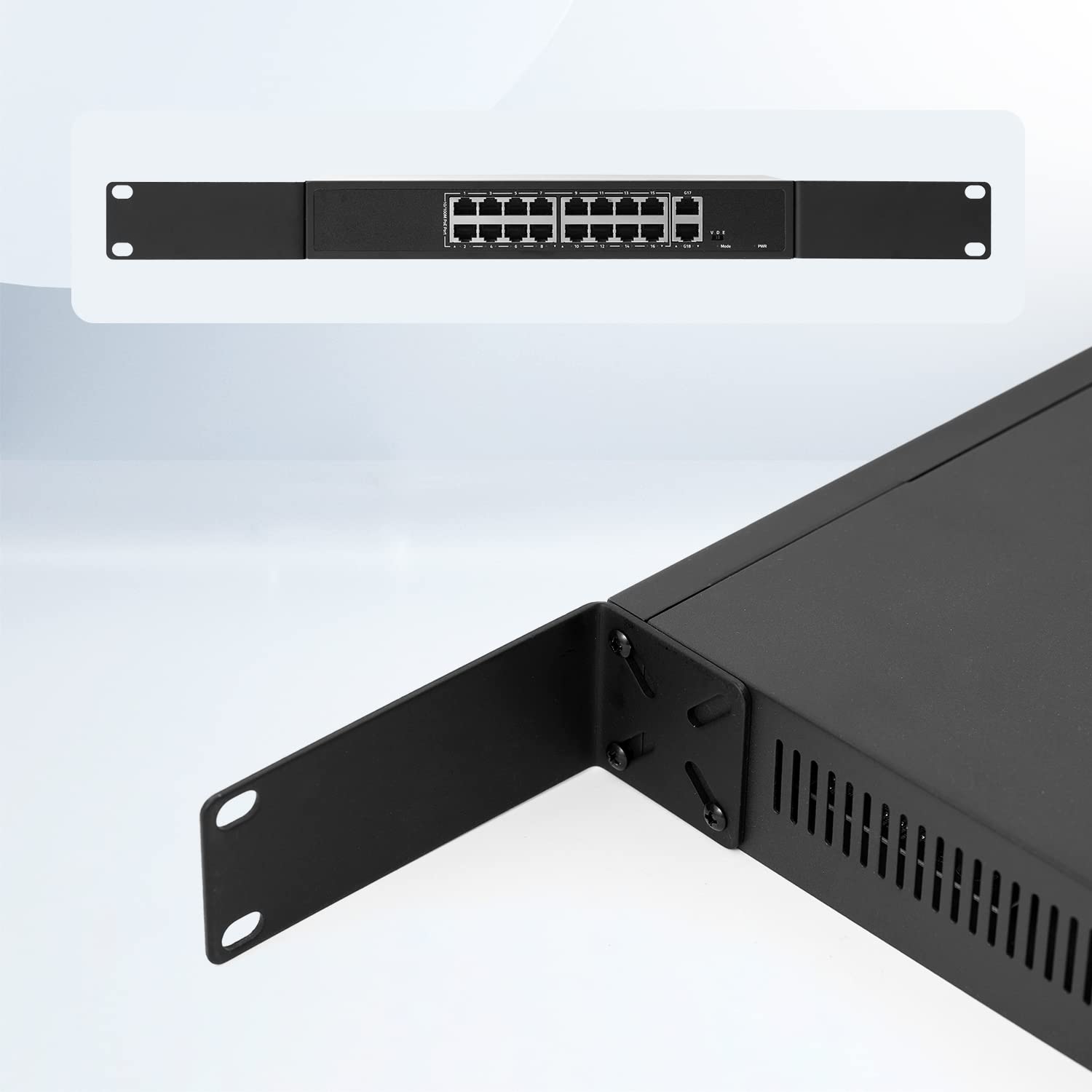
    📦 Rack-Mount Design – Just Like Switches

    https://m.media-amazon.com/images/I/31wkCHCZzyL._AC_UF1000%2C1000_QL80_.jpg?utm_source=chatgpt.com
    https://media.wavescdn.com/images/products/hardware/max/wrc1-wifi-stage-router.png?auto=format&fit=max&ixlib=imgixjs-3.6.1&utm_source=chatgpt.com
    https://i.ytimg.com/vi/9E5m-VYvoa0/maxresdefault.jpg?utm_source=chatgpt.com

    6

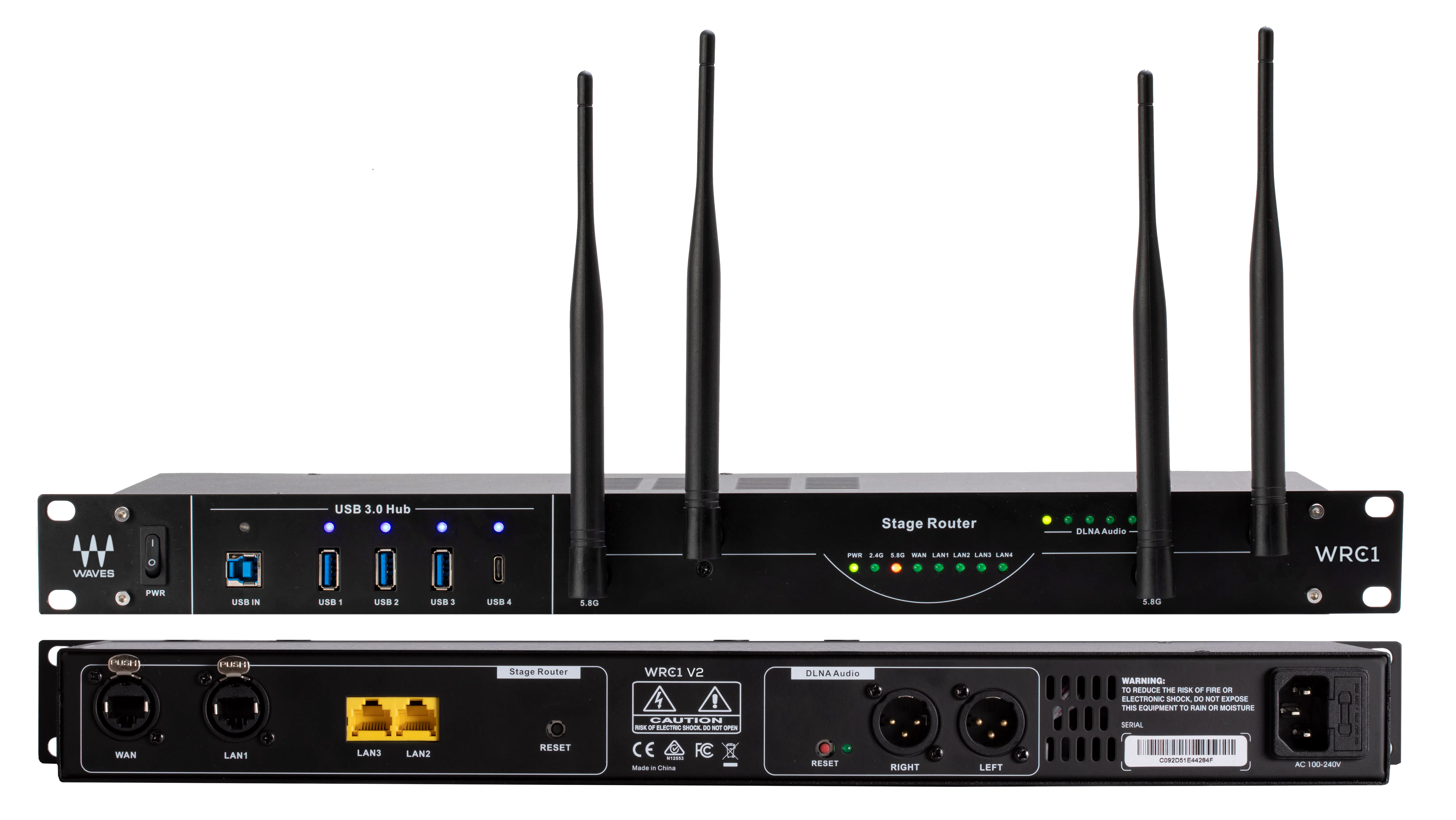
    Routers come in a chassis designed for standard 19-inch racks.

    They include:

    • rack ears for mounting,
    • a metal body for durability,
    • standardized width for compatibility with other devices like:
      • switches
      • firewalls
      • servers
      • patch panels
      • UPS units

    🧠 Why Routers Are Essential

    Routers:

    • connect different networks
    • perform NAT and PAT
    • apply policies and firewall rules
    • enable VPNs
    • determine the best path for packets
    • create the structure of the Internet
    • interconnect companies and data centers
    • keep networks reachable

    They solve problems that switches alone can never solve.
    Switches keep communication inside the network.
    Routers allow communication between networks.

  • #3 Layer 2 Switches

    Layer 2 Switches – The Foundation of Modern Networks

    https://www.lightoptics.co.uk/cdn/shop/articles/Gigabit_Ethernet_Switch_1024x1024.jpg?v=1651479383
    https://online.visual-paradigm.com/repository/images/061db788-c53c-42d6-ade4-da52ea017608.png

    The problems created by bus topology and hubs made it clear that networks needed a smarter, scalable, collision-free solution.
    This need gave rise to the Ethernet Switch, also known as a Layer 2 Switch.

    Today, switches are the physical backbone of every enterprise network, regardless of size or industry. Without switches, modern networking simply does not exist.

    What Is an Ethernet Switch?

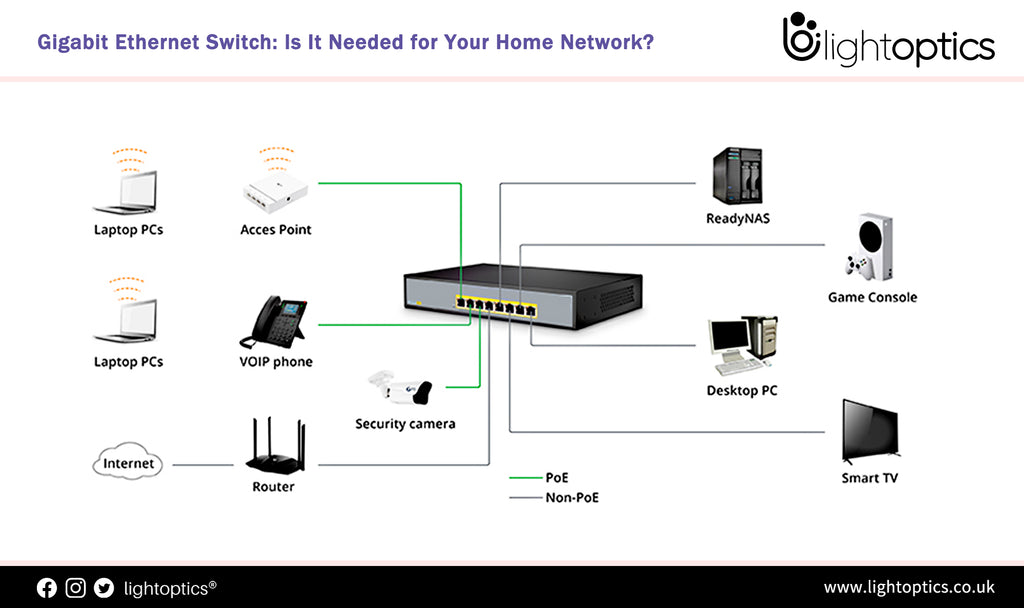
    A switch is a device designed to interconnect computers, servers, access points, firewalls, and other network equipment efficiently.

    It includes:

    • Ethernet (RJ-45) ports for UTP cables
    • A Console Port for direct configuration
    • SFP/SFP+ ports for fiber modules
    • A metal chassis optimized for rack installation
    • Professional models with redundant power supplies
    • Modular and fixed (non-modular) versions
    • Managed and unmanaged models

    Let’s break down each component.

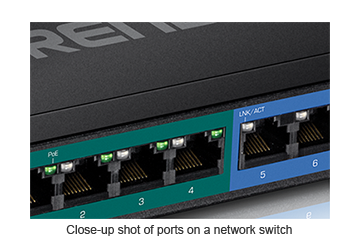
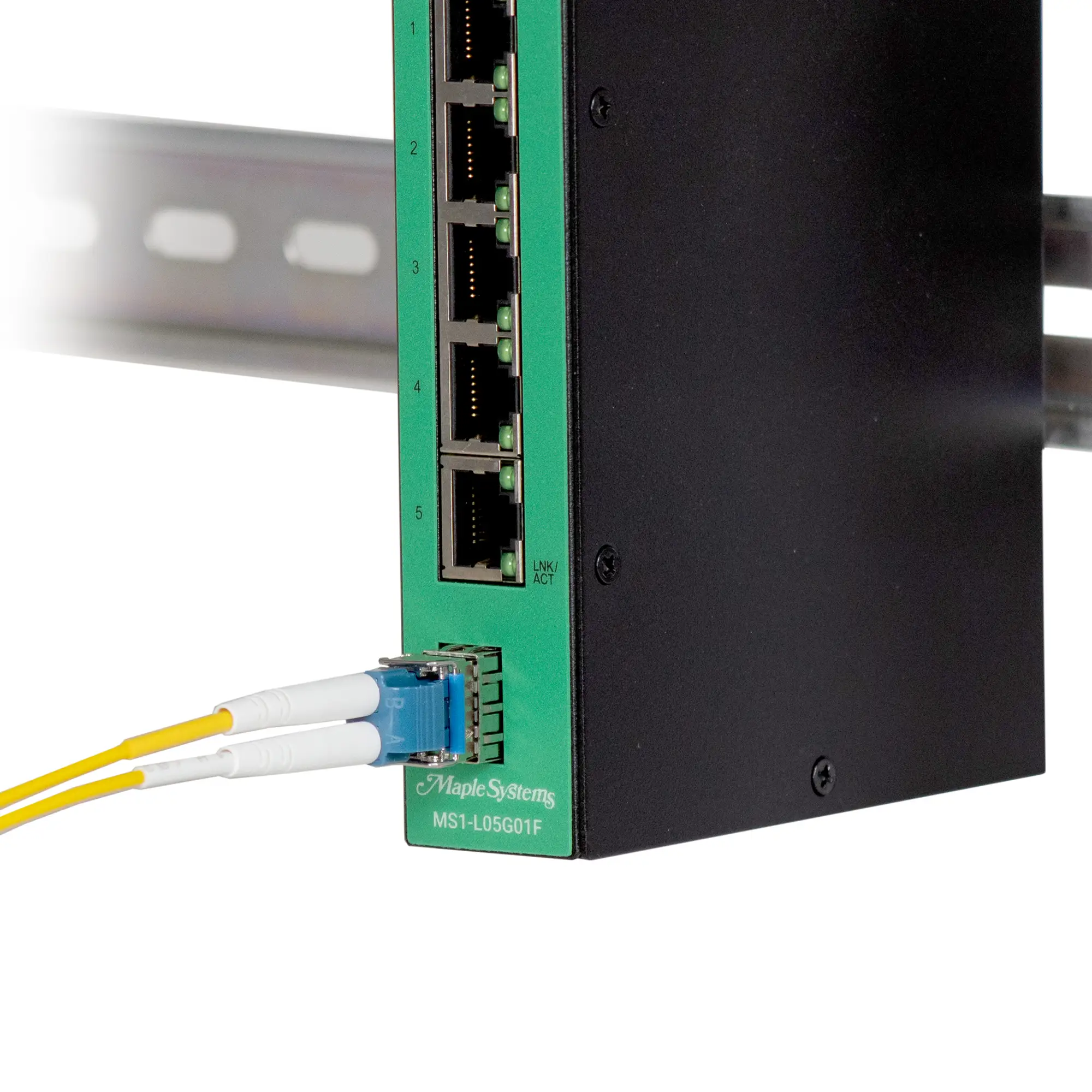
    Ethernet Ports – Where Devices Physically Connect

    https://www.trendnet.com/email2/2018/0508/closeUp.png
    https://media.maplesystems.com/wp-content/uploads/2025/11/ms1-L05G01F-with-fiber-closeup.webp

    These ports are used to connect:

    • computers
    • printers
    • access points
    • firewalls
    • servers
    • IP cameras
    • and other switches

    They use standard Ethernet cables like Cat5e, Cat6, Cat6A, and Cat7.

    Console Port – Accessing the Brain of the Switch

    https://i.ytimg.com/vi/Z2-QHMQPqAU/maxresdefault.jpg
    https://www.cisco.com/c/dam/en/us/td/i/300001-400000/350001-360000/354001-355000/354883.jpg
    https://m.media-amazon.com/images/I/712FZSsOWLL._AC_UF1000%2C1000_QL80_.jpg

    The console port is used for direct management and initial configuration.

    Through it, administrators configure:

    • VLANs
    • Spanning Tree
    • MAC address tables
    • QoS
    • Layer 2 features
    • management and logging

    It requires a console cable (RJ-45, Mini-USB, or USB-C depending on the model) and a terminal program such as PuTTY or SecureCRT.

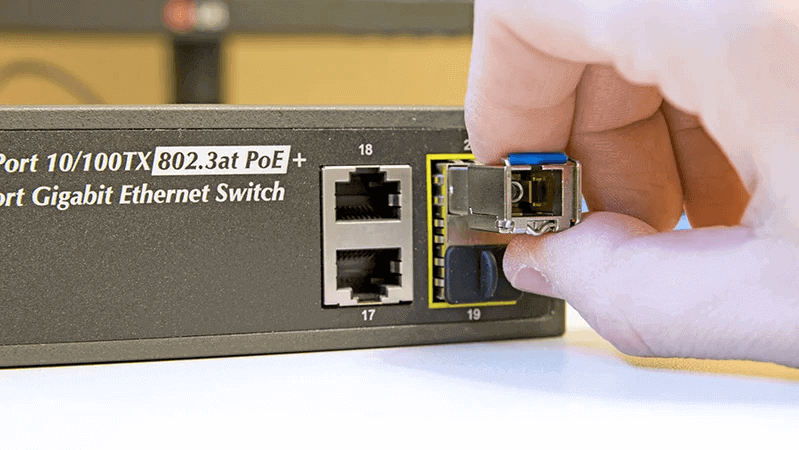
    SFP and SFP+ Ports – Connecting Fiber to the Switch

    https://m.media-amazon.com/images/I/61j9g0ihxpL.jpg
    https://www.fibermall.com/blog/wp-content/uploads/2023/08/hot-pluggable.png

    SFP ports allow the switch to use fiber optics through removable transceiver modules.

    Important:

    • SFP modules do not come with the switch — they must be purchased separately.
    • They must be compatible with the switch vendor.
    • Some switches are fiber-only, but these are more expensive.

    Fiber is typically used for:

    • high-speed links (1G, 10G, 25G, 40G+),
    • long distances,
    • building backbone connections,
    • uplinks between switches.

    Redundant Power Supplies

    https://ftp.wti.com/userimages/pts-app-diagram-101201.png
    https://www.cisco.com/c/dam/assets/support/product-images/series/switches-redundant-power-systems.jpg

    Professional enterprise switches often include:

    • two power supplies,
    • operating simultaneously,
    • allowing the switch to stay online if one PSU fails.

    This redundancy is critical for high-availability environments such as data centers and corporate networks.

    Rack-Mount Design and “Rack Ears”

    https://m.media-amazon.com/images/I/51RWVN%2BBLCL.jpg
    https://m.media-amazon.com/images/I/61CtW5aiC6L.jpg

    Switches come with metal brackets called rack ears.

    These allow the device to be:

    • mounted in a standard 19-inch rack,
    • organized alongside patch panels, firewalls, routers, UPS units, and servers,
    • easily serviced and repositioned.

    The rectangular chassis design exists specifically to fit racks and structured cabling environments.

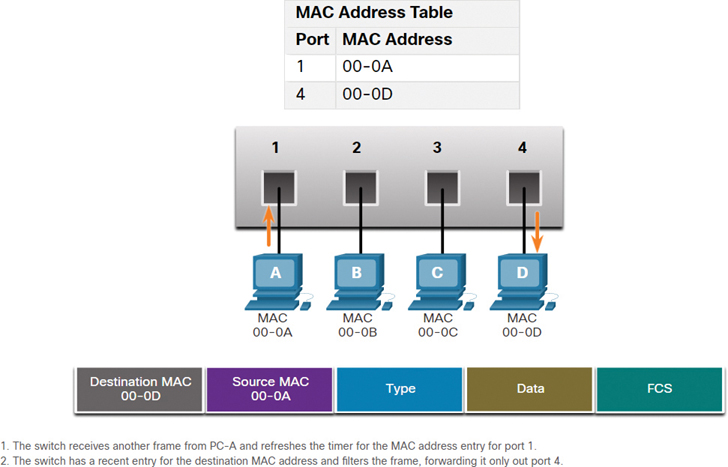
    How a Switch Forwards Frames

    https://www.ciscopress.com/content/images/chap7_9780136633662/elementLinks/07fig19_alt.jpg
    https://www.computernetworkingnotes.com/wp-content/uploads/ccna-study-guide/images/csg177-01-cam-table.png

    Unlike hubs, switches do not repeat electrical signals to all ports.
    Instead, they build and maintain a MAC address table.

    This allows the switch to:

    • learn which MAC address is on which port,
    • forward frames only to the destination port,
    • eliminate collisions entirely,
    • retire CSMA/CD from modern networks.

    Each port becomes its own collision domain, making communication direct, fast, and efficient.

    Modular vs. Fixed (Non-Modular) Switches

    https://i.dell.com/das/dih.ashx/500x500/das/xa_____/global-site-design%20WEB/db94eb0c-45a0-68ca-562a-95b769d3e831/1/OriginalPng?id=Dell%2FProduct_Images%2FDell_Enterprise_Products%2FNetworking_Products%2FDell%2FC_series%2Fc9000_series%2Fc9010%2Fglobal_spi%2Fnetworking-switches-c9010-c1048p-left-relativesize-500-ng.psd
    https://www.dlinkmea.com/images/product/9801-DGS-8006_A1_Image_L%28Front%29.jpg

    Fixed (non-modular) switches:

    • have a fixed number of ports,
    • come with predefined hardware,
    • do not support additional modules.

    These are the most common switches.

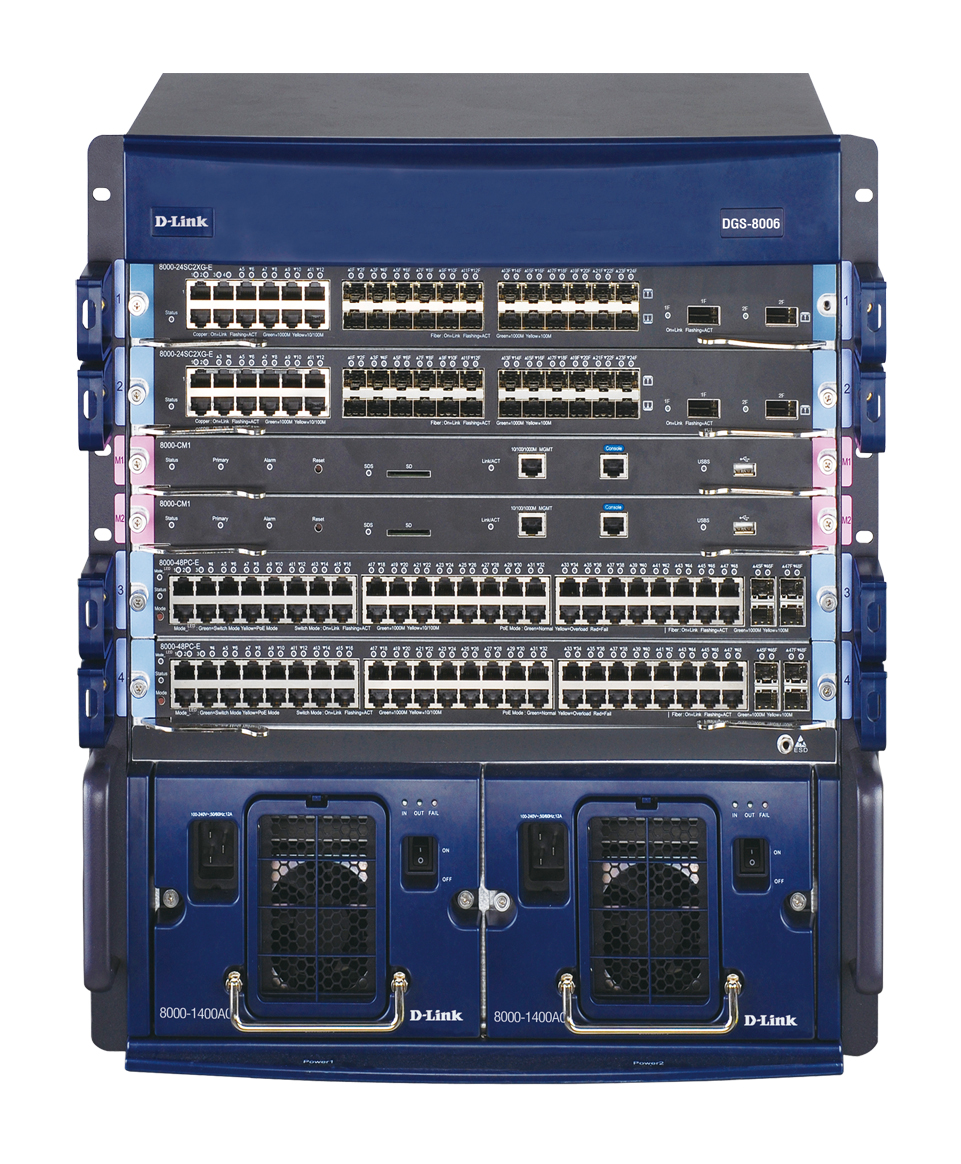
    Modular (chassis) switches:

    • support additional port modules,
    • have multiple supervisors,
    • allow high-speed uplink modules,
    • offer advanced redundancy.

    These are common in large corporate networks and data centers.

    Managed vs. Unmanaged Switches

    Unmanaged switches:

    • no console access,
    • no configuration options,
    • often provide only “automatic profiles,”
    • extremely limited and not suitable for enterprise environments.

    Managed switches:

    • support VLANs,
    • Spanning Tree (STP),
    • link aggregation,
    • QoS,
    • port security,
    • monitoring and logs,
    • engineering and segmentation features.

    Every network professional must focus on managed switches.
    Unmanaged switches simply cannot meet corporate requirements.

    Switches Are the Structure of Every Network

    Regardless of industry or company size:

    Switches form the physical backbone of the network.

    They interconnect:

    • users
    • servers
    • access points
    • firewalls
    • IP phones
    • cameras
    • routers
    • and other switches

    Without them, no LAN can function.

    Why Hubs Must Never Be Connected to Switches

    Hubs are completely obsolete, but they still cause issues when plugged into modern networks.

    Connecting hubs to switches:

    • reintroduces collisions,
    • recreates huge collision domains,
    • causes slowdowns,
    • may create loops,
    • disrupts STP,
    • generates unnecessary broadcast storms.

    Real case (2024)

    I personally experienced a network outage caused by employees who found old hubs in storage and connected them “temporarily” while waiting for new network drops.

    Results:

    • network loops,
    • broadcast storms,
    • switches freezing,
    • multiple departments offline.

    Hubs must be permanently retired.

  • #2 Hubs the Beginning of Star Networks

    From Bus Topology to Hubs and the Beginning of Star Networks

    https://images.ctfassets.net/aoyx73g9h2pg/2BeY1nsgq7F1zV7TZezCeV/a01a704bbe01389eebedccdfe285801b/What-is-a-Computer-Network-Hub-Diagram.jpg
    https://upload.wikimedia.org/wikipedia/commons/thumb/4/4b/HP_EtherTwist_Hub8.jpg/330px-HP_EtherTwist_Hub8.jpg

    As Ethernet networks grew, the limitations of the coaxial bus topology became impossible to ignore.
    The need for easier cabling, more devices, and simpler installation led to the next evolutionary step:

    The Ethernet Hub

    Even though hubs looked like a major upgrade, internally they still functioned as an electrical bus — exactly like plugging several devices into the same extension cord.

    Hubs: A Shared Electrical Signal with Individual Cables

    https://www.pcweenie.com/images/hni/s03p014_connectRouterDiagram.png

    6

    Hubs introduced a major convenience:

    • Each computer now had its own cable,
    • These cables were UTP Ethernet cables (the blue cables we still use at home),
    • The messy coaxial bus was replaced by a central device.

    This brought immediate benefits:

    • easier installation,
    • easier maintenance,
    • no more “entire network goes down if the coax breaks,”
    • the physical layout became a star topology.

    However…

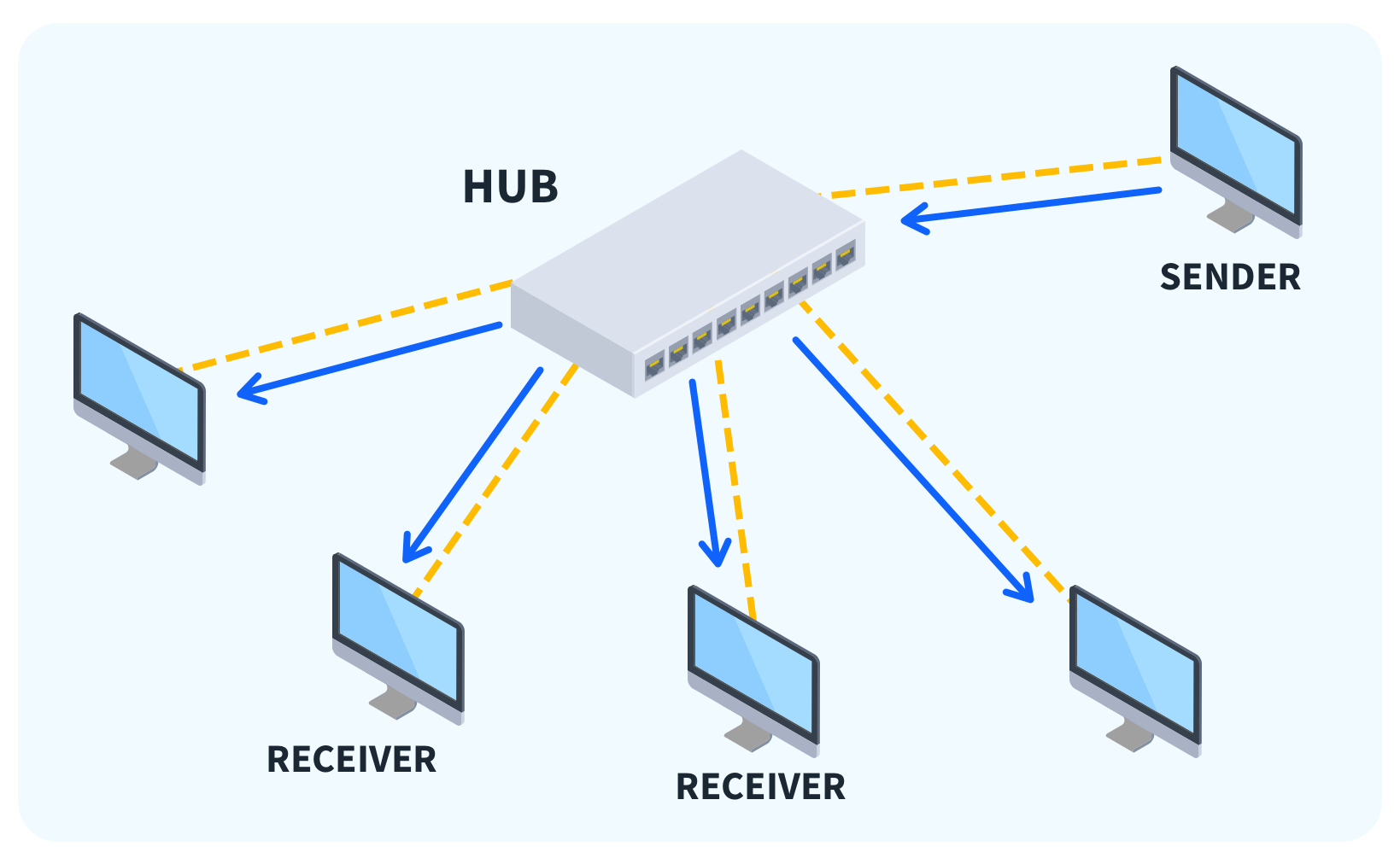
    Electrically, the hub still behaved like the old bus topology.

    It repeated the incoming electrical signal to all other ports:

    • one device transmits → every port receives,
    • collisions still happen exactly the same way,
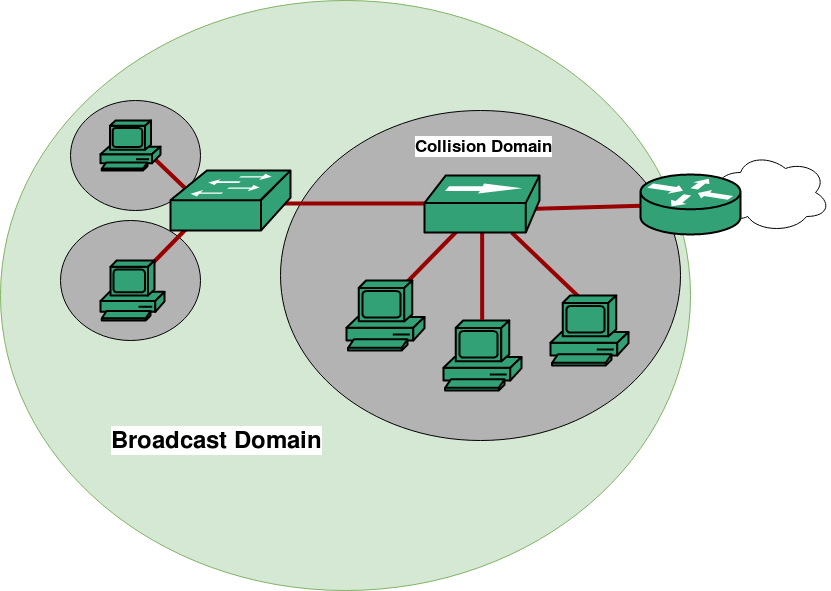
    • the entire network remains a single collision domain.

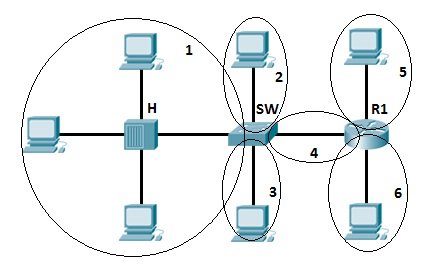
    Collision Problems Persisted, Now Even Worse

    https://media.geeksforgeeks.org/wp-content/uploads/Computer-Network-Broadcast-Domain-Collision.png
    https://study-ccna.com/wp-content/images/collision_domains.jpg

    Hubs allowed networks to grow by simply adding more ports.

    But this created a new problem:

    More ports = more hosts = more collisions.

    To expand the number of ports, admins chained hubs together:

    Hub → Hub → Hub → Hub

    Each additional hub:

    • amplified congestion,
    • increased collisions,
    • made the network slower,
    • extended the collision domain across the entire environment.

    A single broadcast or collision could impact dozens of computers.

    It became clear that Ethernet needed segmentation, not just expansion.

    The Need for Segmentation, Enter the Bridge

    https://images.ctfassets.net/aoyx73g9h2pg/1Z9TLvcFBdP7zn703lpiVT/ca80179eee52e5eaeebdae8e392851d4/What-is-a-Network-Bridge-Diagram.jpg
    https://d2cest1yk6hx2d.cloudfront.net/uninets-001/store/3057/article%20images/bridge-diagram-image.png
    https://i.sstatic.net/wqNAQ.png

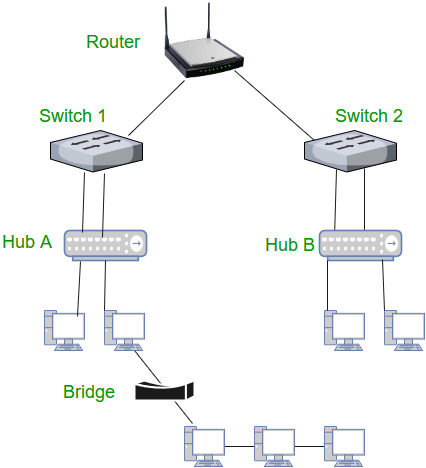
    The bridge was the first device to introduce intelligence into Ethernet.

    A bridge had:

    • two ports (later more),
    • the ability to learn MAC addresses,
    • and the ability to separate traffic between segments.

    What the bridge solved:

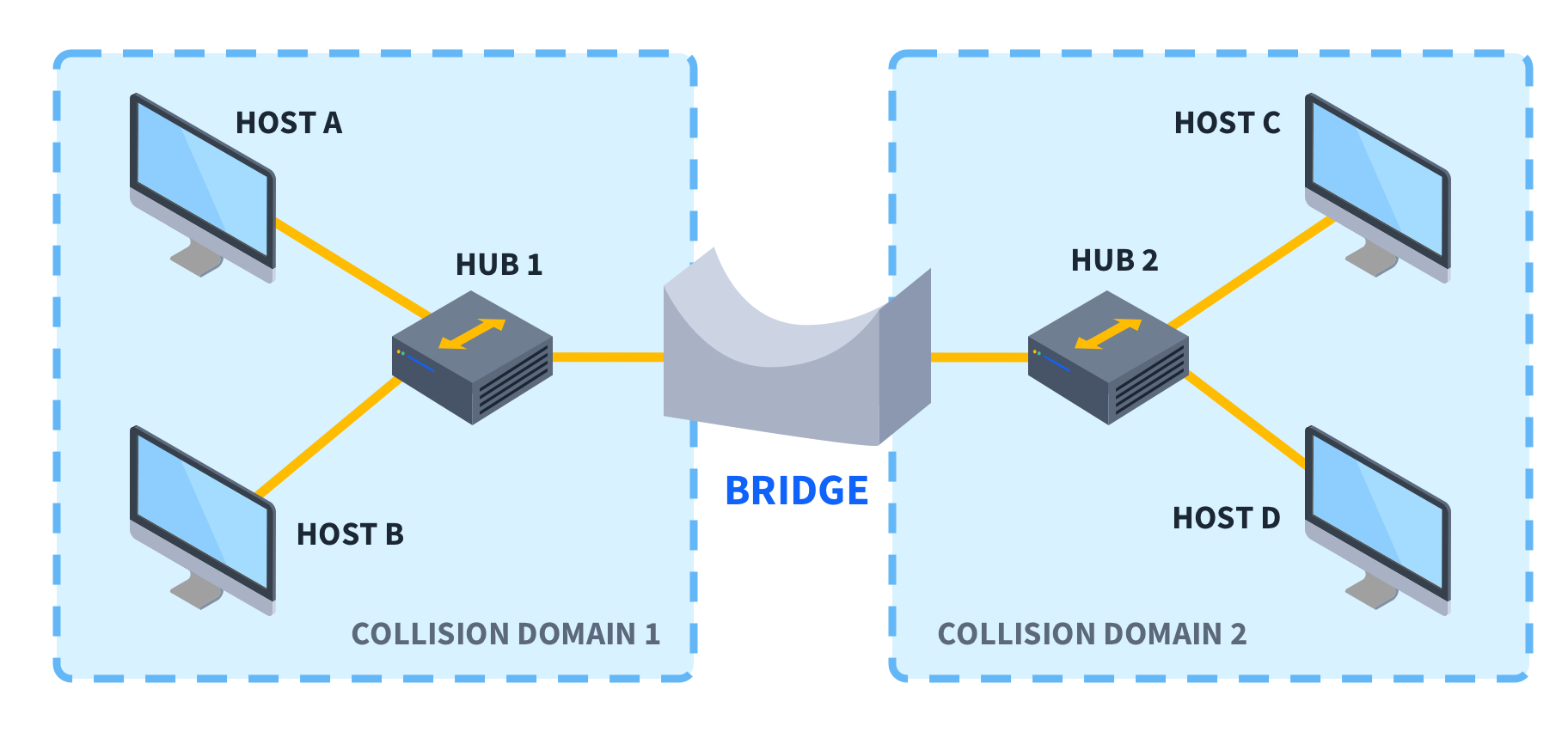
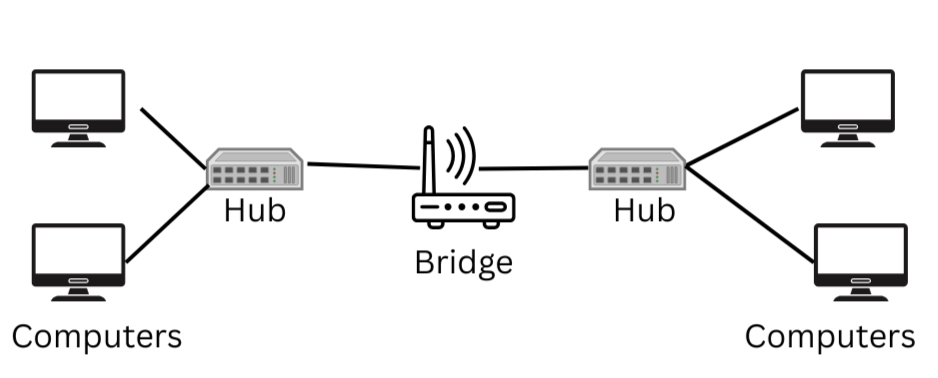
    Imagine a network with 40 computers connected on hubs.
    If divided into two segments of 20 computers each, connected by a bridge:

    • local traffic stays local,
    • only necessary traffic crosses the bridge,
    • half the machines no longer hear every transmission,
    • collisions are drastically reduced in each segment.

    The bridge created two smaller collision domains instead of one giant one.

    This was a huge improvement.

    How Bridges Reduced Traffic

    Bridges analyzed frames and decided:

    • If the destination MAC was on the same side, it did not forward the frame.
    • If the MAC was on the other side, it forwarded the frame across the bridge.
    • If unknown, it flooded — but only to the other segment, not the entire network.

    This simple behavior drastically improved performance.

    Bridges were the first step toward true network segmentation, the predecessor of VLANs, switches, and broadcast domain control.

    Bridges Evolved Into Multiport Devices, The First Switches

    https://www.lightoptics.co.uk/cdn/shop/articles/Gigabit_Ethernet_Switch_1024x1024.jpg?v=1651479383
    https://www.pcweenie.com/images/hni/s03p014_connectRouterDiagram.png
    https://media.geeksforgeeks.org/wp-content/cdn-uploads/Network_devices.jpg

    The bridge proved that segmentation was the future.
    Manufacturers then:

    • increased the number of ports,
    • improved the learning algorithms,
    • optimized forwarding logic,
    • added buffering,
    • and implemented per-port collision domains.

    The result was the most important device in modern networking:

    👉 The Ethernet Switch

    Today, switches are essential in every enterprise, datacenter, and ISP environment.

    Why This Matters for the Next Lesson

    By understanding:

    • the limitations of the bus,
    • the electrical behavior of hubs,
    • the need for segmentation,
    • and the role of bridges,

    …you are now ready to understand why switches solved all of these problems at once.

    Switches:

    • eliminate collisions,
    • create per-port links,
    • enable full-duplex communication,
    • and introduce real forwarding intelligence.
  • #1 Bus Topology

    Bus Topology

    https://networkencyclopedia.com/wp-content/uploads/2019/08/10base2-network.jpg

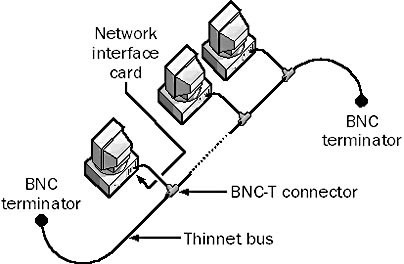
    The bus topology was one of the earliest network designs used in Ethernet environments.
    Although considered legacy today, it remains essential for understanding how networks behave — including Wi-Fi, which inherited many of the same limitations and concepts.

    Just as a medical student cannot ignore anatomy, a network professional cannot skip the fundamentals. Several behaviors at the physical and data-link layers only make sense when you understand how early Ethernet networks worked.

    Why Study the Bus Topology Today?

    Understanding this topology helps you recognize:

    • how collision domains originated,
    • why switches became revolutionary,
    • how CSMA/CD worked,
    • why early Ethernet had poor scalability,
    • and how these concepts reappear in modern Wi-Fi.

    What Is the Bus Topology?

    https://upload.wikimedia.org/wikipedia/commons/5/5f/BNC_connector_with_10BASE2_cable-92170.jpg

    In a bus topology:

    • All computers are connected to the same continuous cable, forming a shared medium.
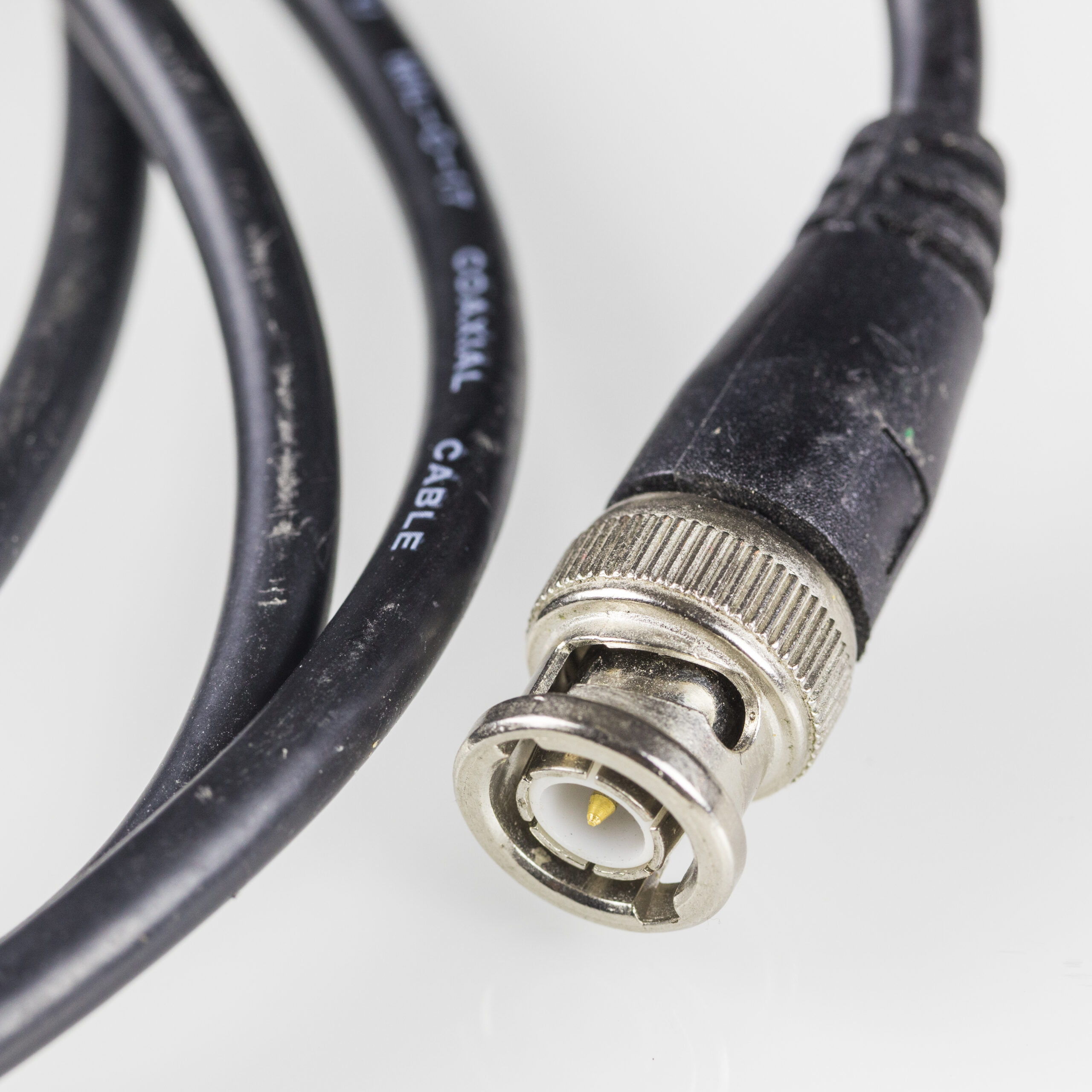
    • This cable was typically coaxial (10BASE2 or 10BASE5).
    • Every device shared the same physical channel for transmitting and receiving data.

    It works similarly to cable TV distribution: one cable carrying the signal to multiple devices.

    Problem 1 — A Shared Medium

    Whenever a device transmitted data, every other device on the cable received it, even if they were not the intended recipient.

    This resulted in:

    • mandatory broadcast behavior,
    • unnecessary traffic,
    • increased latency,
    • reduced network efficiency.

    There was no segmentation or intelligent traffic separation.

    Problem 2 — Constant Collisions

    https://media.geeksforgeeks.org/wp-content/uploads/Computer-Network-Broadcast-Domain-Collision.png

    Because all hosts shared the same cable, if two devices transmitted simultaneously, their electrical signals collided.

    Consequences included:

    • corrupted frames,
    • retransmissions,
    • network slowdown,
    • exponential collision growth as more hosts were added.

    Bus Networks Operated in Half-Duplex

    Another important characteristic: early Ethernet in bus topology was half-duplex only.

    This means:

    • a device could not listen and transmit at the same time,
    • during transmission, the host became “blind” to the medium,
    • if another device transmitted simultaneously, a collision occurred, detected only after the frame was damaged.

    This half-duplex behavior significantly increased collisions and limited throughput.

    Modern Wi-Fi still operates under half-duplex constraints, inheriting this same limitation.

    Problem 3 — Extremely Limited Scalability

    Adding more hosts to the bus increased:

    • the likelihood of collisions,
    • congestion on the medium,
    • latency,
    • broadcast volume,
    • and the risk of network-wide failures.

    Additionally, a single cable break could take down the entire network.

    CSMA/CD — Ethernet’s Attempt to Control the Medium

    https://www.researchgate.net/publication/323511648/figure/fig3/AS%3A631600802983960%401527596774658/Flow-diagram-for-the-CSMA-CD.png

    To manage transmission on the shared medium, Ethernet used CSMA/CD (Carrier Sense Multiple Access with Collision Detection).

    It worked as follows:

    1. The device listened to the medium to check if it was idle.
    2. If free, it began transmitting.
    3. If another device transmitted at the same time → collision.
    4. Both devices detected the collision.
    5. Each waited for a random backoff time before retrying.

    Critical limitation:

    👉 CSMA/CD only detects collisions after they happen.

    It does not prevent them — it reacts to them.

    This made large bus-based networks highly inefficient.

    The Single Cable: A Physical and Logical Bottleneck

    Beyond collisions, the bus topology suffered from:

    • no segmentation,
    • no traffic isolation,
    • low speeds,
    • no built-in security,
    • difficult troubleshooting and maintenance,
    • a single point of failure.

    The natural evolution was the introduction of hubs and later switches, which finally eliminated shared collision domains.

    How Bus Concepts Resurface in Wi-Fi

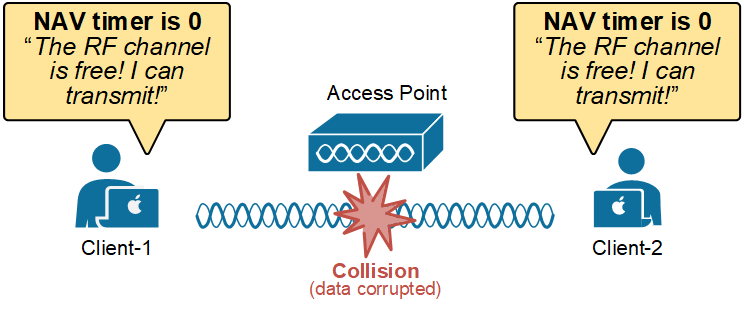
    https://www.networkacademy.io/sites/default/files/2025-03/collision-avoidance-csma-ca.png

    Although coaxial bus networks disappeared, the concept of a shared medium returned in wireless networks.

    In Wi-Fi:

    • all devices share the same channel,
    • the medium is half-duplex,
    • collisions still occur — but cannot be detected directly,
    • devices rely on CSMA/CA (Collision Avoidance) instead of CSMA/CD.

    In other words. The bus topology died in wired Ethernet, but lives on in wireless networking.