Layer 2 Switches – The Foundation of Modern Networks
The problems created by bus topology and hubs made it clear that networks needed a smarter, scalable, collision-free solution.
This need gave rise to the Ethernet Switch, also known as a Layer 2 Switch.
Today, switches are the physical backbone of every enterprise network, regardless of size or industry. Without switches, modern networking simply does not exist.
What Is an Ethernet Switch?
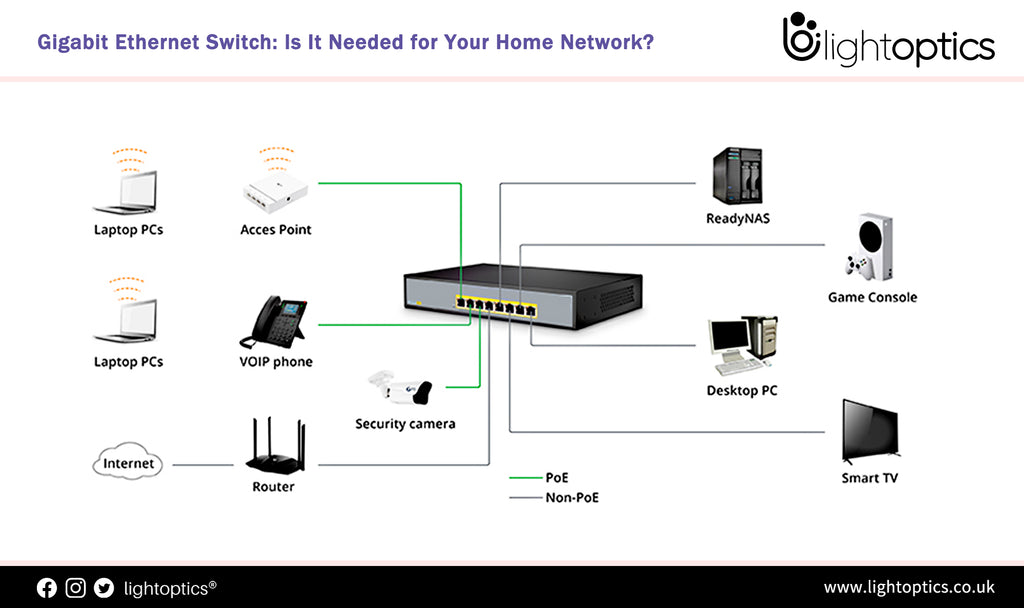
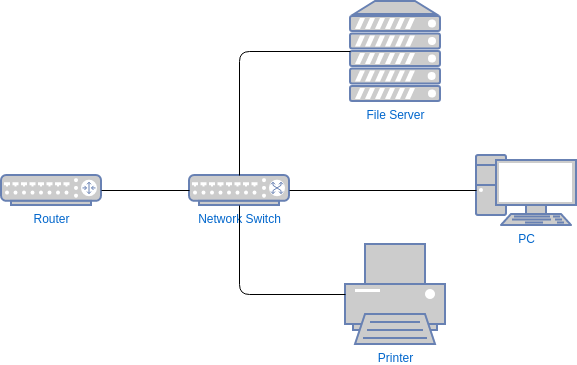
A switch is a device designed to interconnect computers, servers, access points, firewalls, and other network equipment efficiently.
It includes:
- Ethernet (RJ-45) ports for UTP cables
- A Console Port for direct configuration
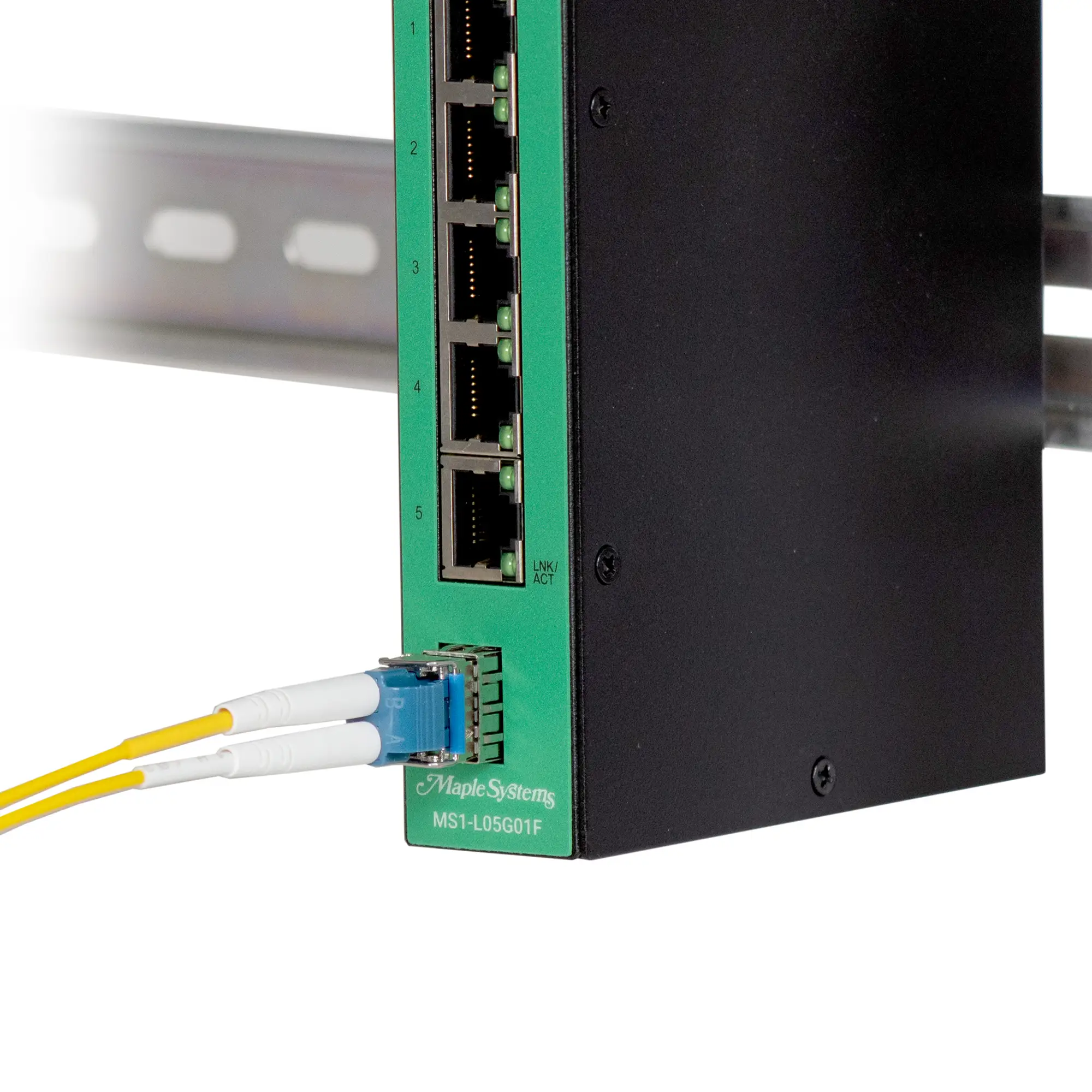
- SFP/SFP+ ports for fiber modules
- A metal chassis optimized for rack installation
- Professional models with redundant power supplies
- Modular and fixed (non-modular) versions
- Managed and unmanaged models
Let’s break down each component.
Ethernet Ports – Where Devices Physically Connect
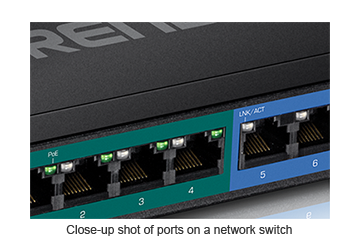
These ports are used to connect:
- computers
- printers
- access points
- firewalls
- servers
- IP cameras
- and other switches
They use standard Ethernet cables like Cat5e, Cat6, Cat6A, and Cat7.
Console Port – Accessing the Brain of the Switch
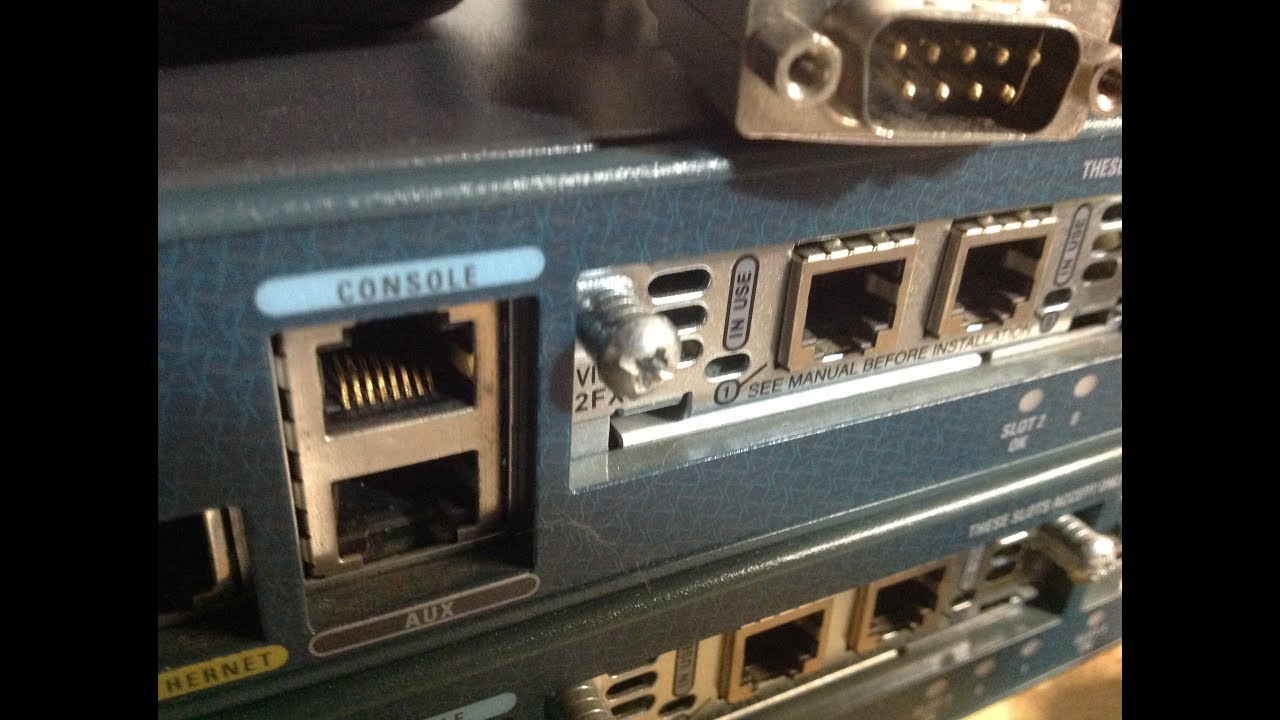


The console port is used for direct management and initial configuration.
Through it, administrators configure:
- VLANs
- Spanning Tree
- MAC address tables
- QoS
- Layer 2 features
- management and logging
It requires a console cable (RJ-45, Mini-USB, or USB-C depending on the model) and a terminal program such as PuTTY or SecureCRT.
SFP and SFP+ Ports – Connecting Fiber to the Switch

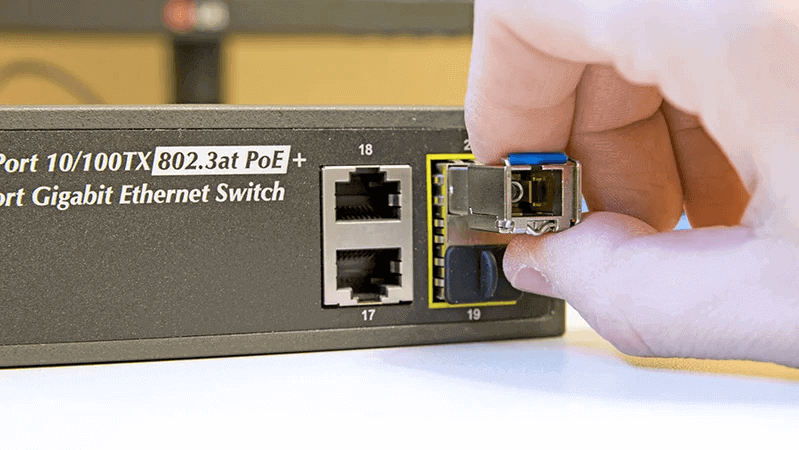
SFP ports allow the switch to use fiber optics through removable transceiver modules.
Important:
- SFP modules do not come with the switch — they must be purchased separately.
- They must be compatible with the switch vendor.
- Some switches are fiber-only, but these are more expensive.
Fiber is typically used for:
- high-speed links (1G, 10G, 25G, 40G+),
- long distances,
- building backbone connections,
- uplinks between switches.
Redundant Power Supplies
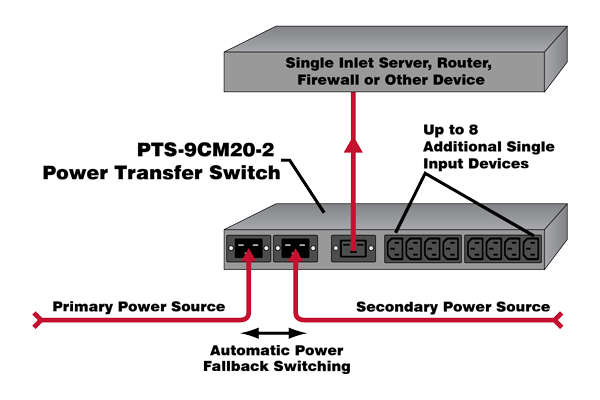
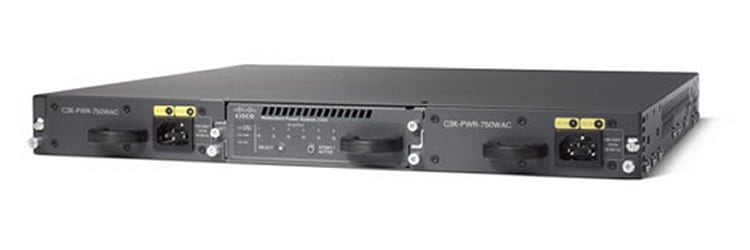
Professional enterprise switches often include:
- two power supplies,
- operating simultaneously,
- allowing the switch to stay online if one PSU fails.
This redundancy is critical for high-availability environments such as data centers and corporate networks.
Rack-Mount Design and “Rack Ears”
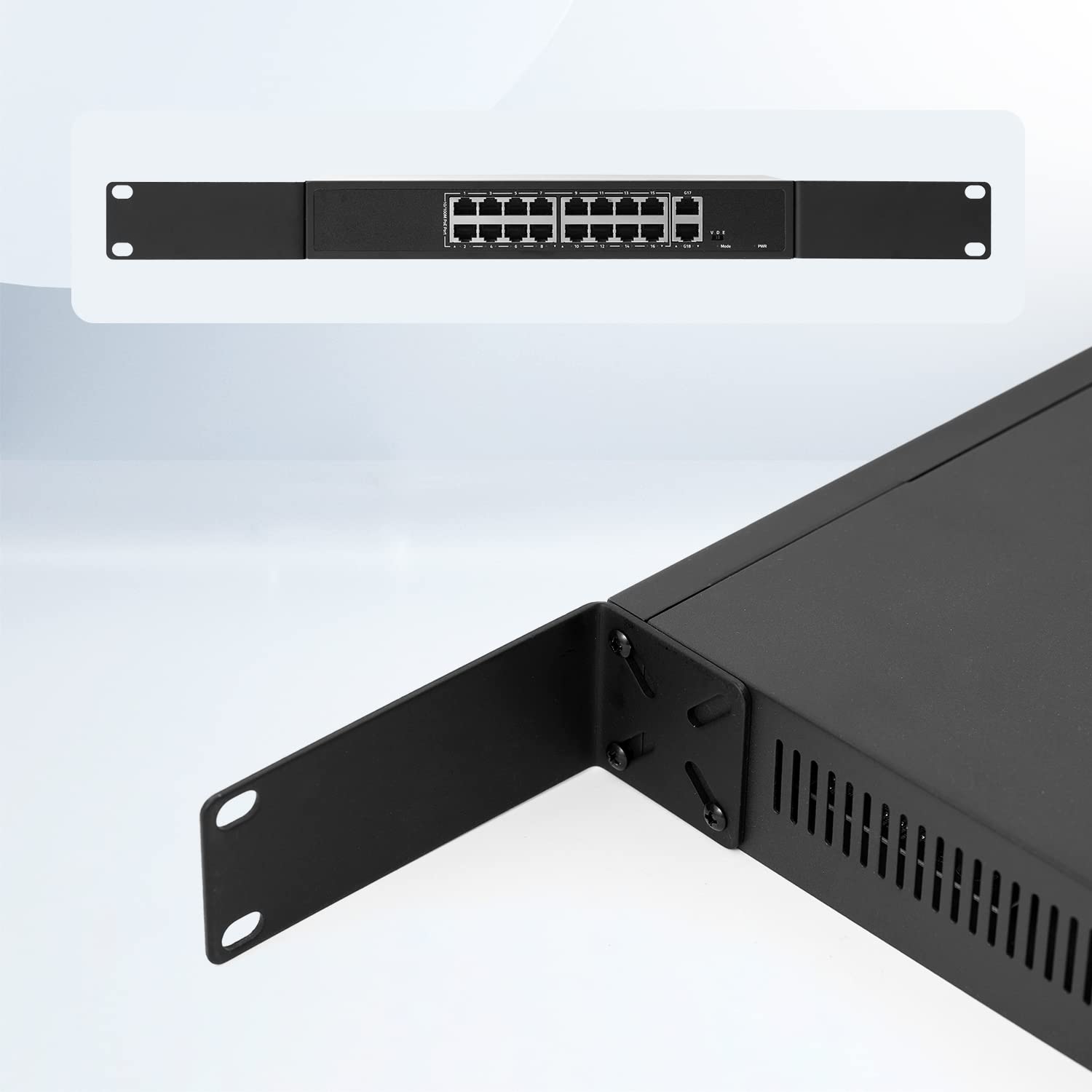

Switches come with metal brackets called rack ears.
These allow the device to be:
- mounted in a standard 19-inch rack,
- organized alongside patch panels, firewalls, routers, UPS units, and servers,
- easily serviced and repositioned.
The rectangular chassis design exists specifically to fit racks and structured cabling environments.
How a Switch Forwards Frames
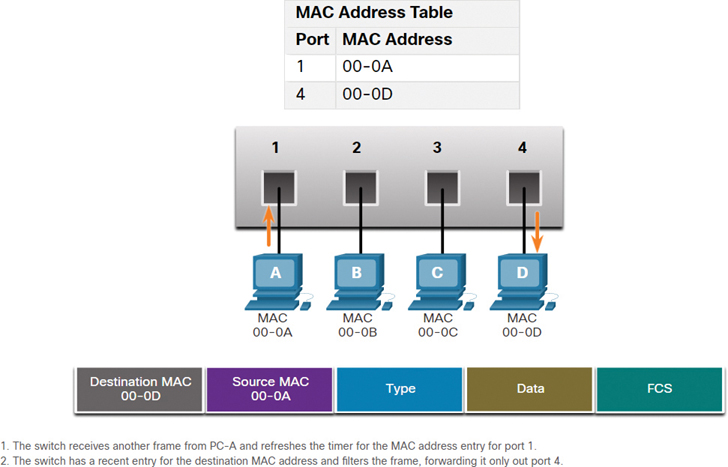

Unlike hubs, switches do not repeat electrical signals to all ports.
Instead, they build and maintain a MAC address table.
This allows the switch to:
- learn which MAC address is on which port,
- forward frames only to the destination port,
- eliminate collisions entirely,
- retire CSMA/CD from modern networks.
Each port becomes its own collision domain, making communication direct, fast, and efficient.
Modular vs. Fixed (Non-Modular) Switches
Fixed (non-modular) switches:
- have a fixed number of ports,
- come with predefined hardware,
- do not support additional modules.
These are the most common switches.
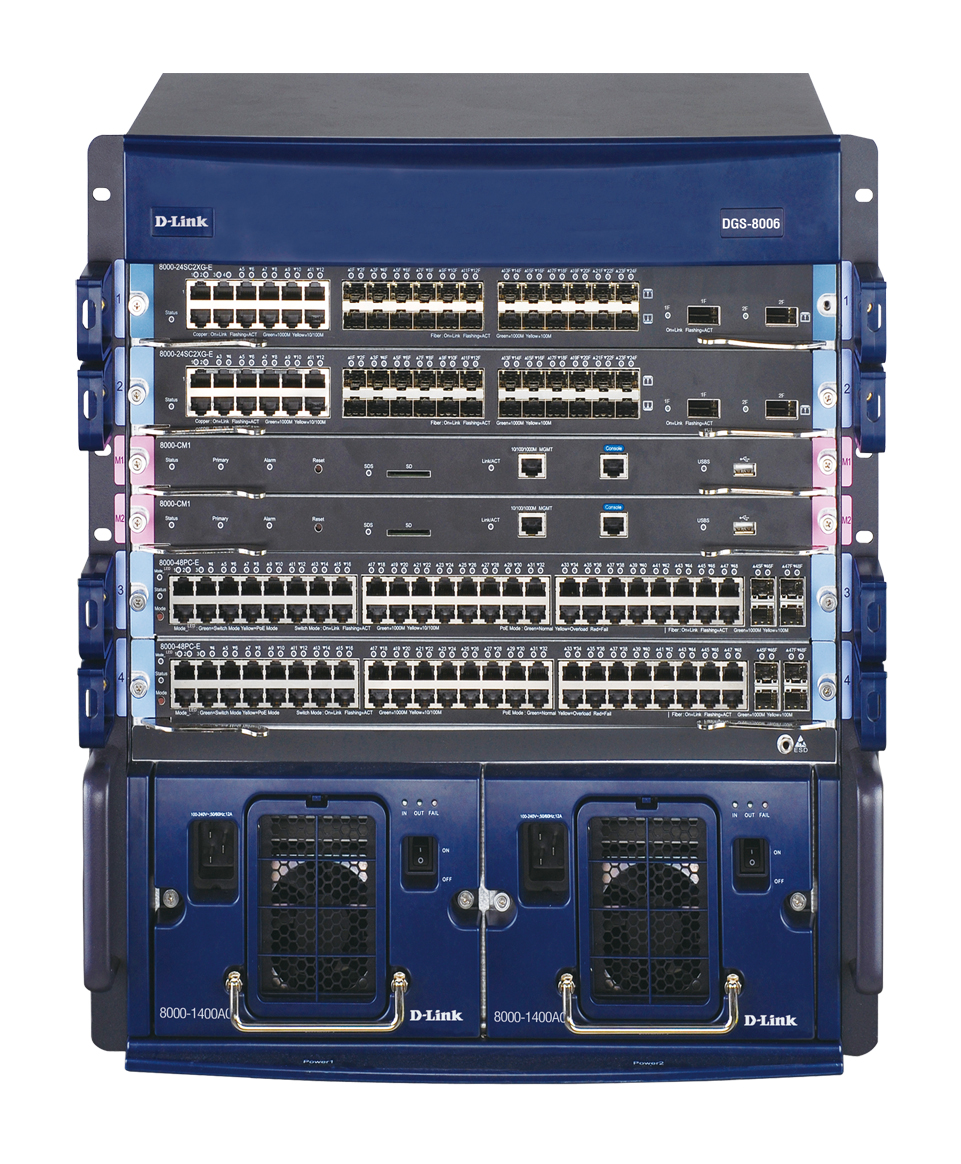
Modular (chassis) switches:
- support additional port modules,
- have multiple supervisors,
- allow high-speed uplink modules,
- offer advanced redundancy.
These are common in large corporate networks and data centers.
Managed vs. Unmanaged Switches
Unmanaged switches:
- no console access,
- no configuration options,
- often provide only “automatic profiles,”
- extremely limited and not suitable for enterprise environments.
Managed switches:
- support VLANs,
- Spanning Tree (STP),
- link aggregation,
- QoS,
- port security,
- monitoring and logs,
- engineering and segmentation features.
Every network professional must focus on managed switches.
Unmanaged switches simply cannot meet corporate requirements.
Switches Are the Structure of Every Network
Regardless of industry or company size:
Switches form the physical backbone of the network.
They interconnect:
- users
- servers
- access points
- firewalls
- IP phones
- cameras
- routers
- and other switches
Without them, no LAN can function.
Why Hubs Must Never Be Connected to Switches
Hubs are completely obsolete, but they still cause issues when plugged into modern networks.
Connecting hubs to switches:
- reintroduces collisions,
- recreates huge collision domains,
- causes slowdowns,
- may create loops,
- disrupts STP,
- generates unnecessary broadcast storms.
Real case (2024)
I personally experienced a network outage caused by employees who found old hubs in storage and connected them “temporarily” while waiting for new network drops.
Results:
- network loops,
- broadcast storms,
- switches freezing,
- multiple departments offline.
Hubs must be permanently retired.
Deixe um comentário